
Maintaining a healthy relationship with search engine crawlers requires a proactive approach to site architecture. By properly configuring your sitemap and robots.txt files, you provide Google with a clear roadmap of your content, ensuring that your most valuable pages are discovered and indexed without wasting your site's crawl budget.
Many site owners overlook these technical files until they notice a drop in traffic or indexing errors. Understanding how these files interact with Googlebot allows you to prevent issues before they escalate, ensuring that your server resources are focused on high-quality, unique content rather than redundant or unimportant URL structures.
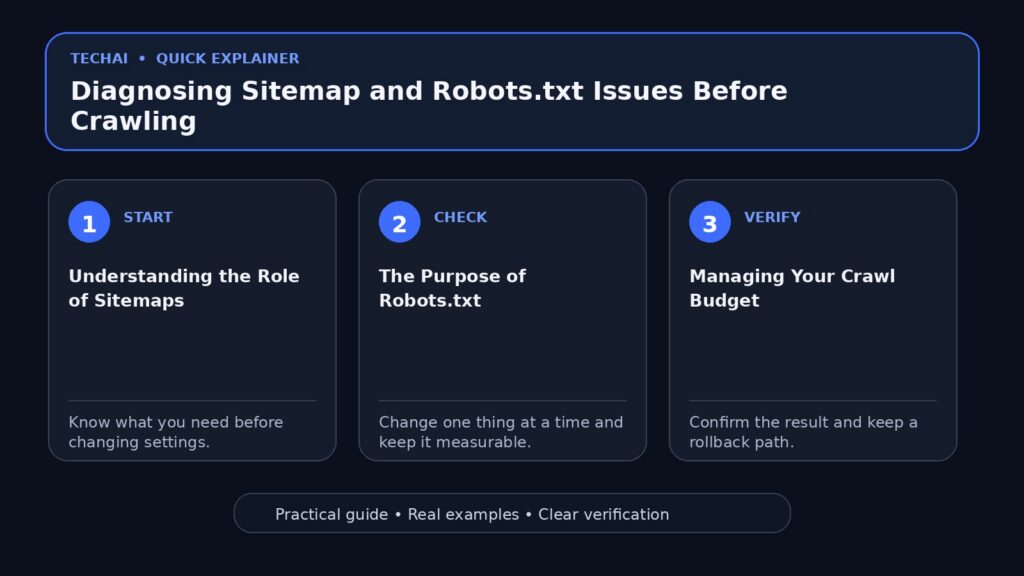
Understanding the Role of Sitemaps
A sitemap is a file where you provide information about the pages, videos, and other files on your site, and the relationships between them. Search engines like Google read this file to crawl your site more efficiently. A sitemap tells search engines which pages and files you think are important in your site, and also provides valuable information about these files, such as when the page was last updated and any alternate language versions.

While Google is capable of discovering pages through links, a well-maintained sitemap acts as a critical guide for crawlers. It ensures that even pages that are not easily found through internal navigation are identified. For complex sites or those with deep hierarchies, a sitemap is a foundational tool for ensuring that your most important content is prioritized during the crawling process.
Beyond simple discovery, sitemaps allow you to communicate the structure of your site to Google. By including metadata, you help the search engine understand the recency and relevance of your content. This is particularly useful for sites that frequently update their inventory or manage multi-regional and multilingual content, as it provides a clear signal of where the most current versions of your pages reside.
- List important pages for search engines.
- Provide metadata like last-modified dates.
- Help crawlers discover orphaned pages.
- Support multi-language site versions.
The Purpose of Robots.txt
The robots.txt file is a directive for search engine crawlers, specifying which URLs the crawler can access on your site. Its primary function is to prevent crawlers from overloading your server with requests, rather than acting as a security or indexing control mechanism. It is important to note that this file is not a mechanism for keeping a web page out of Google; if you need to keep a page out of search results, you must use other methods like 'noindex' tags or password protection.
When configuring your robots.txt, you are essentially managing the 'crawl capacity' of your site. By directing Googlebot away from unimportant or redundant paths, you ensure that the crawler spends its limited time on the content that actually matters to your users. This is a standard protocol that all reputable search engine crawlers respect, making it an essential tool for site maintenance.
If you use a CMS, such as Wix or Blogger, you might not need to edit your robots.txt file directly, as the platform may handle it for you. However, for custom-built sites or those with complex directory structures, manual management is often required. Always ensure that your robots.txt is placed at the root directory of your site so that crawlers can find it immediately upon arrival.
- Manage server load by limiting crawl requests.
- Direct crawlers away from unimportant pages.
- Not a tool for preventing indexing.
- Respects standard crawler protocols.
Managing Your Crawl Budget
Crawl budget is the set of URLs that Google can and wants to crawl. It is determined by two main elements: crawl capacity limit and crawl demand. The crawl capacity limit, or hostload, ensures that Google crawls your site without overwhelming your servers. If your site responds consistently and latency remains stable, the limit may increase, allowing for more parallel connections. Conversely, if your site slows down or returns server errors, the limit will decrease.
Crawl demand is influenced by factors such as site size, update frequency, and page quality. For Googlebot, demand varies based on how relevant your content is compared to other sites. If your site has a large number of duplicate URLs or unimportant pages, Google may waste its crawling time on these, which can negatively impact the discovery of your unique, high-value content.
To maximize efficiency, you must manage your URL inventory. If Google spends too much time crawling URLs that it shouldn't, it may not explore the rest of your site. By consolidating duplicate content and blocking unimportant pages via robots.txt, you focus the crawl budget on the pages that truly contribute to your site's search performance.
- Consolidate duplicate content.
- Block unimportant pages via robots.txt.
- Monitor server health and response times.
- Keep sitemaps updated regularly.
Common Diagnostic Steps
To diagnose potential issues, start by reviewing your site in Google Search Console. Look for pages classified as 'Discovered – currently not indexed,' as this often indicates that Google has found the URL but lacks the budget or priority to crawl it immediately. This is a strong signal that your crawl budget is being stretched thin or that your site structure needs optimization.

Regularly audit your robots.txt file to ensure you haven't accidentally blocked critical CSS, JavaScript, or important content directories. Google needs to render your pages to understand them fully, and blocking these assets can lead to poor indexing. Use the robots.txt tester to verify that your rules are correctly interpreted by Googlebot before deploying changes to your live site.
Finally, monitor your crawl stats for server errors, such as 5xx HTTP status codes. These errors directly impact your crawl capacity limit. If your server is consistently returning errors, Google will reduce the frequency of its visits, which can lead to stale content in search results and a drop in overall search visibility.
- Check Search Console for crawl errors.
- Verify robots.txt syntax.
- Audit for accidental blocks of site assets.
- Review crawl stats for server errors.
Advanced Crawl Optimization
For very large sites (1 million+ unique pages) or medium sites with rapidly changing content, advanced crawl budget management is necessary. If your pages are crawled the same day they are published, you likely do not need to worry about these advanced techniques. However, if you notice significant delays, you should focus on optimizing your crawl budget by reducing the number of URLs that Google needs to process.
One effective strategy is to eliminate duplicate content. If you have multiple URLs that serve the same content, consolidate them to focus crawling on unique pages. Additionally, consider how your site handles faceted navigation. If your site generates thousands of unique URLs based on filters or sorting, these can quickly exhaust your crawl budget if not managed correctly through robots.txt or canonicalization.
Remember that the crawl capacity limit is shared across all crawlers. High demand from one crawler, such as Google Shopping or AdsBot, can reduce the capacity available for Googlebot. By keeping your sitemap up to date and checking the Page Indexing report in Search Console, you ensure that your site remains healthy and that Google can prioritize your most important content.
- Identify and remove duplicate content.
- Optimize faceted navigation URLs.
- Monitor shared crawl capacity.
- Prioritize high-value content updates.
Troubleshooting Server and Network Errors
Network and DNS errors can prevent Googlebot from reaching your site entirely. If your server is unreachable, Google will eventually stop trying to crawl, which can lead to a significant drop in indexed pages. Always ensure that your DNS configuration is stable and that your server is capable of handling the expected load from search engine crawlers.
If you encounter 429 (Too Many Requests) errors, it is a clear signal that you are hitting your crawl capacity limit. While it is tempting to block Googlebot to save resources, this is often counterproductive. Instead, focus on optimizing your site's response times and reducing the number of unnecessary requests by cleaning up your URL inventory.
Regularly check your server logs to see how Googlebot is interacting with your site. If you see a high volume of requests for unimportant files, use your robots.txt to block these paths. This proactive maintenance ensures that your server resources are dedicated to serving your users and that Googlebot is only crawling the content you want to be indexed.
- Check DNS and server stability.
- Monitor for 429 rate-limiting errors.
- Analyze server logs for bot activity.
- Optimize server response times.
Best Practices for Long-Term Success
The key to long-term SEO success is consistency. A sitemap should be treated as a living document that reflects the current state of your site. Whenever you launch new sections or significantly update your content, ensure your sitemap is updated and submitted to Google Search Console. This provides a clear signal to Google that your site is active and relevant.
Similarly, your robots.txt file should be audited periodically. As your site grows, you may find that you no longer need to block certain directories, or conversely, that new sections of your site are generating unnecessary crawl demand. Keeping this file clean and well-organized prevents accidental blocks and ensures that your crawling strategy evolves with your business.
Finally, always prioritize user experience. While technical SEO is vital, Google's ultimate goal is to provide helpful, reliable, people-first content. If your site is fast, easy to navigate, and provides unique value, you will naturally earn a higher crawl demand. Use the tools provided by Google to monitor your progress and make data-driven decisions about your site's architecture.
- Update sitemaps with new content.
- Audit robots.txt periodically.
- Focus on people-first content.
- Use Search Console for monitoring.
Key takeaways
- Sitemaps help Google discover important pages efficiently.
- Robots.txt is for managing crawl load, not for hiding pages from search.
- Crawl budget is finite and should be prioritized for unique content.
- Server health directly impacts how much Google is willing to crawl your site.
- Use Search Console to monitor indexing status and crawl errors.
Common mistakes to avoid
- Using robots.txt to try and hide private or sensitive pages.
- Blocking CSS or JavaScript files that Google needs to render the page.
- Including low-quality or duplicate URLs in the sitemap.
- Ignoring server-side errors (5xx) that cause Google to reduce crawl frequency.
Check your website next
- Check your website free
- Full Website Audit — $9
- Website Growth Bundle — $39
- Website Fix Implementation — from $149
FAQ
Does a sitemap guarantee that all my pages will be indexed?
No. A sitemap is a hint to search engines about what you consider important, but Google still evaluates each page for quality and relevance before deciding to index it.
What should I do if my site is large and not being fully crawled?
Focus on consolidating duplicate content and using robots.txt to block unimportant pages. This helps Google focus its crawl budget on your most valuable, unique content.
Can I use robots.txt to remove a page from Google search results?
No. If you want to remove a page from search, you should use a 'noindex' meta tag or password-protect the page. Robots.txt only prevents crawling, not indexing.
