
Publishing new articles without first analyzing your existing site performance can lead to redundant coverage and missed search opportunities. For small websites, where resources are often limited, every page must serve a clear purpose and fulfill genuine user intent. By analyzing how Google crawls, indexes, and serves your existing pages, you can pinpoint structural gaps and underperforming topics before writing additional material. This strategic approach ensures that your growth is calculated and that your site remains a lean, helpful resource for your target audience.
Using official diagnostics like Google Search Console and targeted search operators allows site owners to audit existing indexation cleanly and accurately. Grounding your content strategy in people-first principles ensures that new additions address genuine informational needs rather than simply cluttering search results or competing with your own canonical pages. By following a structured audit process, you can transform raw search data into a roadmap for high-quality content that satisfies both search engine requirements and human readers.
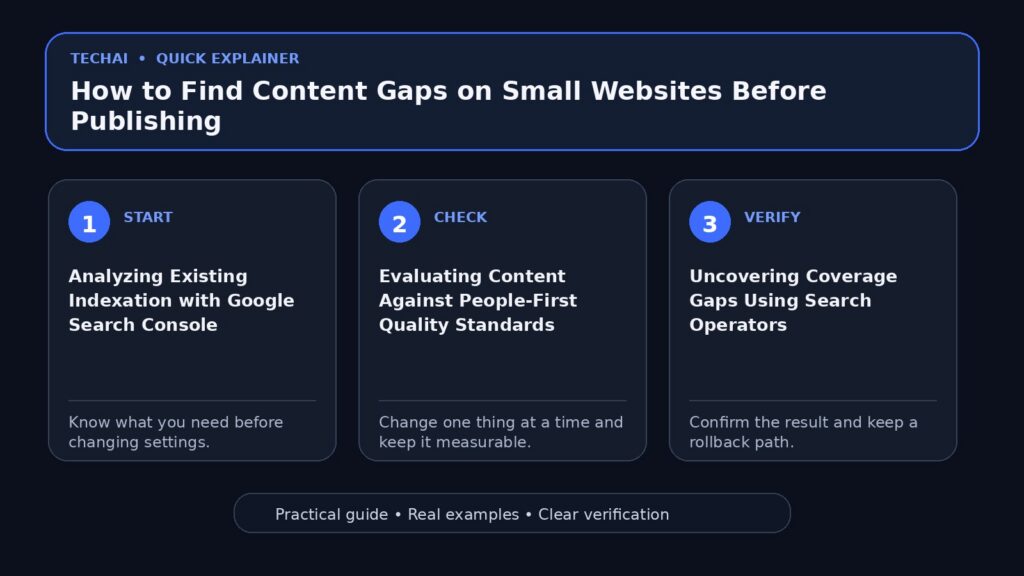
Analyzing Existing Indexation with Google Search Console
Google Search Console serves as the primary diagnostic tool for website owners to understand how their content is perceived by search engines. It provides detailed information on how Google crawls, indexes, and serves websites, which is essential for identifying content gaps. Before you decide to publish a new page, you must first determine if your existing pages are being reached effectively by Googlebot. If key pages are missing from the indexation reports, you have identified a technical gap that must be addressed before expanding your content footprint.

Reviewing the performance metrics within Search Console allows you to see which queries are currently driving traffic to your site. By monitoring these search signals, you can identify topics where your site has a presence but lacks a dedicated, high-quality landing page. This data-driven approach helps you avoid the common mistake of guessing what your audience wants. Instead, you can use actual search serving data to see where Google is already trying to surface your site, even if you haven't yet optimized for those specific terms.
Furthermore, Search Console helps you monitor and optimize your search performance over time. It is not a tool that requires daily sign-ins, but periodic reviews of the 'Crawl' and 'Index' reports can reveal if certain directory paths are being ignored. For a small website, ensuring that every published URL is eligible for indexing is the first step in a successful content gap analysis. If Google cannot crawl your existing content, adding more pages will only compound the underlying technical issues.
- Check the 'Indexing' report to see which URLs are currently live
- Identify pages that are 'Crawled – currently not indexed'
- Use the URL Inspection tool to see how Googlebot views specific pages
- Monitor the 'Sitemaps' section to ensure all content is discoverable
Evaluating Content Against People-First Quality Standards
Google's automated ranking systems are specifically designed to prioritize helpful, reliable, and people-first information. When searching for content gaps, it is not enough to simply look for missing keywords; you must also evaluate the quality of your existing pages. A 'gap' can exist in the form of thin or unhelpful content that fails to provide a satisfying experience for the user. Google encourages creators to self-assess their content to ensure it is created to benefit people rather than to manipulate search engine rankings.
To perform a quality-based gap analysis, you should ask whether your existing pages provide original information, reporting, or research. If your site currently has pages that only summarize what others have said without adding significant value, that represents a quality gap. Upgrading these pages to include first-hand expertise or comprehensive descriptions is often more effective than publishing new, separate articles on the same topic. This ensures that your site remains a reliable source of information in the eyes of both users and ranking systems.
Reliability is a cornerstone of the people-first framework. You should evaluate whether your content is presented in a way that makes people want to trust it, such as providing clear sourcing or evidence of expertise. If your current content lacks these trust signals, it may not perform well in search results, regardless of how many new pages you add. Identifying these qualitative gaps allows you to strengthen your existing foundation, making your site more resilient to ranking updates and more useful to your visitors.
- Assess if content provides a substantial, complete description of the topic
- Check for original insights that go beyond the obvious
- Ensure the content is free from easily verified factual errors
- Verify that the page provides a good user experience on mobile and desktop
Uncovering Coverage Gaps Using Search Operators
Search operators are powerful tools that allow you to query the Google index directly to see how your domain is represented. The 'site:' operator is particularly useful for small website owners who want to perform a quick audit of their indexed content. By typing 'site:yourdomain.com' followed by a specific keyword into the Google search bar, you can see every page on your site that Google has indexed for that term. If a search for a core topic returns no results or only irrelevant pages, you have found a definitive content gap.
This method provides a transparent view of your site's title links and snippets as they appear to the public. You can use these operators to inspect specific subdomains or directories, helping you map out the boundaries of your current coverage. For example, if you run a small e-commerce site, you might use search operators to check if your product category pages are appearing with the correct title links. If the search results show outdated or confusing titles, this is a gap in your search appearance that needs correction.
Beyond the basic 'site:' operator, you can combine it with other search terms to find internal competition. If multiple pages from your site appear for the same specific query, you may be suffering from content overlap. This suggests that instead of creating a new page, you should consolidate your existing resources into a single, more authoritative guide. Using search operators in this way helps you maintain a clean and organized index, which is vital for small sites trying to establish authority in a niche.
- Use 'site:example.com keyword' to find indexed pages for a topic
- Check for missing subtopics by searching specific category paths
- Review the snippets and title links for clarity and relevance
- Identify if non-essential pages (like 'Thank You' pages) are indexed
Spotting Opportunities in Search Performance Data
Analyzing the performance data in Google Search Console can reveal 'hidden' content gaps where your site is appearing in search results but not winning clicks. By looking at the 'Queries' report, you can find terms that have a high number of impressions but a low click-through rate (CTR). This often indicates that Google thinks your site is relevant to the topic, but you don't have a page that specifically addresses the user's intent. Creating a dedicated page for these high-impression queries is one of the most effective ways to grow a small site.
To visualize this data more effectively, Google suggests using techniques like bubble charts. A bubble chart can help you categorize queries based on their performance, allowing you to quickly spot outliers. For instance, a query with many impressions but a very low average position might indicate a topic where you have 'accidental' coverage. By creating a high-quality, people-first page for that specific query, you can improve your ranking and capture traffic that you are currently missing.
Integrating Search Console data with Google Analytics provides an even deeper level of insight. While Search Console tells you what happens on the search results page, Google Analytics tells you what happens once a user arrives at your site. If you find that users are searching for a specific term on your site's internal search but you don't have a corresponding page, that is a clear signal of a content gap. Combining these two data sources allows you to build a content strategy based on actual user behavior and demand.
- Filter Search Console data for queries with high impressions and low CTR
- Use bubble charts to identify topics with high growth potential
- Analyze internal site search data in Google Analytics for missing topics
- Look for non-branded queries that are driving impressions but no clicks
Differentiating Site Names and Page Title Links
When auditing your site's appearance in search results, it is important to understand the distinction between site names and title links. A site name is the name of the entire website as it appears in search results, whereas a title link is the specific link for an individual web page. Google uses various sources, including structured data and page titles, to determine the site name. Ensuring that your site name is correctly identified by Google helps build brand recognition and trust across all your indexed pages.

Title links, on the other hand, are specific to each URL and are often derived from the <title> tag of the page. A common content gap on small websites is the lack of descriptive, unique title links for every page. If multiple pages have similar or generic titles, users may find it difficult to distinguish between them in search results. This can lead to lower click-through rates and a poor user experience. Auditing your title links ensures that each page's unique value is clearly communicated to potential visitors.
Site names are available in all languages where Google Search is available and appear on both mobile and desktop devices. By providing clear signals to Google—such as using WebSite structured data—you can help ensure your site name is represented accurately. This technical clarity supports your content strategy by providing a consistent identity for your site, making it easier for users to return to your content once they recognize your brand in the search results.
- Verify that your site name is correctly displayed in search results
- Audit title links to ensure they are unique for every indexed page
- Use structured data to help Google identify your preferred site name
- Check both mobile and desktop views for search appearance consistency
Structuring New Content to Prevent Keyword Cannibalization
One of the biggest risks when expanding a small website is keyword cannibalization, which occurs when multiple pages on your site compete for the same search queries. This confuses search engines and can dilute the ranking power of your content. A thorough content gap analysis should include a review of your existing page inventory to ensure that any new topic you plan to cover doesn't already have a home on your site. If a topic is partially covered elsewhere, it is usually better to expand the existing page.
Mapping out your content structure helps you distinguish between broad 'pillar' topics and specific 'cluster' subtopics. For example, if you have a broad page about 'Organic Gardening,' you might find a gap for a specific subtopic like 'Composting for Small Spaces.' Instead of creating a second broad gardening page, you should create a specific, targeted page that links back to your main pillar. This internal linking structure helps Google understand the relationship between your pages and establishes your site's topical authority.
Before publishing, cross-reference your proposed content outline against your current indexed URLs using the 'site:' operator. If you find a page that is already ranking for similar terms, ask yourself if the new content provides a truly different perspective or solves a different problem. If the answer is no, you are better off consolidating the information. This disciplined approach prevents 'content bloat' and ensures that every page on your small website is working toward your overall search goals.
- Create a content map to visualize the relationship between pages
- Consolidate thin, overlapping pages into comprehensive guides
- Use internal links to define the hierarchy of your topics
- Ensure every new page targets a unique user intent or query
Debugging Traffic Drops and Crawl Issues
If you notice a sudden drop in organic traffic, it is essential to investigate the cause before you try to 'fix' it by publishing more content. Traffic drops can be caused by technical issues, such as crawl errors or indexing failures, or by changes in how Google serves your content. Google Search Console provides specific workflows for debugging these drops. By reviewing the 'Crawl Stats' and 'Indexing' reports, you can determine if Googlebot is having trouble accessing your site or if your pages have been removed from the index.
Crawl errors can occur for many reasons, including server issues, robots.txt misconfigurations, or broken links. If Googlebot cannot reach your pages, they cannot be indexed or served to users. For a small website, even a few crawl errors can have a significant impact on overall visibility. Resolving these technical barriers should always take priority over creating new content. A healthy crawl baseline ensures that when you do publish new material, it can be indexed and ranked as quickly as possible.
In some cases, a traffic drop may be related to a ranking update or a shift in search appearance features. Google's ranking systems are constantly evolving to better serve users. If your traffic drops following an update, it may be a sign that your content no longer meets the 'people-first' quality standards. In this situation, the 'gap' is not in your topic coverage, but in the quality and reliability of your information. Use the self-assessment questions provided by Google to identify areas where your existing content can be improved.
- Monitor the 'Crawl Stats' report for spikes in error rates
- Check for manual actions or security issues in Search Console
- Investigate if specific pages or sections are losing traffic
- Verify that your robots.txt file is not blocking important content
Establishing a Continuous Content Audit Routine
Content gap analysis is not a one-time task but an ongoing maintenance practice that should be integrated into your site management routine. As search trends change and your website grows, new gaps will inevitably emerge. Regularly auditing your search performance data and indexation status allows you to stay ahead of these changes. By pairing continuous monitoring with Google's guidance on creating helpful content, you can make data-driven decisions about what to write next, ensuring your efforts are always aligned with user needs.
A successful routine involves checking Search Console at least once a month to review your top-performing queries and identify any new high-impression, low-click opportunities. You should also use tools like Google Trends to see if interest in your core topics is rising or falling. This helps you prioritize your content calendar based on what is currently relevant to your audience. For a small website, this level of focus is critical for maximizing the impact of every piece of content you produce.
Finally, remember that the goal of a content audit is to maintain a lean, high-quality web presence. Don't be afraid to prune or consolidate low-value pages that are no longer serving your audience. By focusing on quality over quantity and grounding your strategy in official search data, you can build a website that is both helpful to users and highly visible in search results. This disciplined approach is the key to long-term success in the ever-changing landscape of organic search.
- Schedule monthly reviews of Search Console performance data
- Use Google Trends to identify emerging topics in your niche
- Periodically re-evaluate old content against quality guidelines
- Track the indexation and performance of newly published pages
Key takeaways
- Google Search Console is the essential tool for monitoring how Google crawls, indexes, and serves your site.
- A content gap can be a missing topic or an existing page that fails to meet people-first quality standards.
- Search operators like 'site:' provide a direct way to verify which of your pages are currently in the Google index.
- High-impression, low-click queries in Search Console are prime opportunities for creating new, targeted content.
- Technical health, such as resolving crawl errors, must be prioritized over publishing new content to ensure visibility.
Common mistakes to avoid
- Publishing new content on topics that are already partially covered by existing, under-optimized pages.
- Ignoring Search Console crawl reports and assuming that more content will fix a drop in organic traffic.
- Creating content primarily for search engine rankings rather than focusing on providing helpful, human-first value.
- Failing to distinguish between site-wide branding (site names) and page-specific metadata (title links) in search results.
Check your website next
- Check your website free
- Full Website Audit — $9
- Website Growth Bundle — $39
- Website Fix Implementation — from $149
FAQ
What is a content gap on a small website?
A content gap occurs when your website lacks an indexed page to fulfill a specific user intent or search query related to your niche. It can also refer to existing pages that are too thin or unreliable to satisfy users.
How does Google Search Console help find content gaps?
Search Console tracks queries that lead to impressions for your site. By identifying queries with many impressions but no dedicated landing page, you can find exact topics that your audience is searching for.
What is the best search operator for auditing my site?
The 'site:' operator is the most effective tool. By searching 'site:yourdomain.com keyword,' you can see exactly which pages Google has indexed for that specific topic and how they appear to users.
Should I always create a new page when I find a gap?
Not necessarily. If you have an existing page that is relevant but underperforming, it is often better to update and expand that page rather than creating a new, competing URL that might cause cannibalization.