
In the competitive landscape of search engine optimization, understanding how your rivals structure their content is as important as your own on-page efforts. By analyzing three core elements—title links, heading hierarchies, and internal link structures—you can gain a clear picture of the strategy a competitor is using to signal relevance to search engines like Google. These elements are not just stylistic choices; they are the primary signals that Google uses to determine what a page is about, how it should be indexed, and how it relates to the broader web.
This guide provides a technical framework for auditing these components based on official documentation from Google Search Central and MDN Web Docs. We will move beyond surface-level observations to look at the underlying HTML requirements that make these elements effective. Whether you are performing a manual audit using browser developer tools or preparing a large-scale competitive analysis, understanding the best practices for title links, the strict hierarchy of H1-H6 headings, and the technical necessity of crawlable links is essential for any modern SEO strategy.
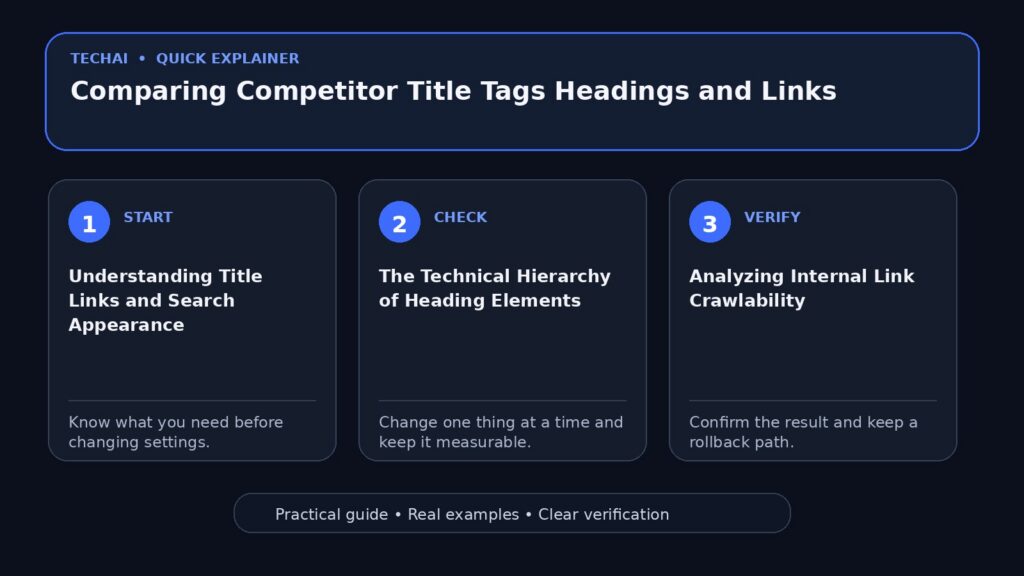
Understanding Title Links and Search Appearance
A title link is the specific title of a search result that appears on Google Search and other properties like Google News. While many refer to these as 'title tags,' Google distinguishes between the HTML <title> element and the final link displayed in search results. Google uses several sources to automatically determine this link, meaning what you see in the search results may not always be a 1:1 match with the competitor's source code. However, the <title> element remains the primary way to influence this outcome.

When comparing competitors, you should look at how they balance keyword placement with brand identity. Google's best practices suggest that title links are critical for giving users quick insight into a result's relevance. If a competitor consistently ranks well, observe if they are front-loading their primary keywords or if they are using a consistent brand suffix. Because Google can choose to rewrite these links based on the user's query, it is important to check both the live search results and the actual HTML source code of the competitor's page.
Analyzing these links helps you identify the 'intent' the competitor is targeting. A title link that focuses on 'Best Professional Cameras' signals a different intent than one titled 'How to Choose a Camera.' By documenting these variations across a competitor's top-ranking pages, you can map out their keyword strategy and identify gaps where your own titles might be more descriptive or better aligned with user expectations.
- Check the <title> element in the HTML source code.
- Compare the source title with the actual title link shown in Google Search.
- Identify if the competitor uses brand names at the beginning or end of the title.
- Look for the use of specific keywords that match the user's search query.
The Technical Hierarchy of Heading Elements
HTML provides six levels of section headings, from <h1> to <h6>. According to MDN Web Docs, <h1> represents the highest section level, while <h6> is the lowest. These elements are block-level boxes in the layout, meaning they start on a new line and take up the full width of their container. When auditing a competitor, the first thing to check is their use of the <h1> tag. It is a best practice to have only one <h1> per page, and it should describe the content of the page in a way that is similar to the document's title.
The structure of headings creates a document outline that search engines and assistive technologies use to understand the page's organization. A common mistake in web development is using heading elements to resize text rather than to define structure. When comparing competitors, look for a logical progression. A well-structured page will follow a strict order: an <h1> followed by <h2> subheadings, which may contain <h3> subsections, and so on. Skipping levels—such as jumping from an <h1> directly to an <h3>—is considered poor practice and can confuse both users and crawlers.
Headings also play a vital role in accessibility. Screen reader users often navigate a page by jumping from heading to heading to determine the content. If a competitor has a highly accessible site, their heading structure will likely be very clean and logical. By mimicking this logical flow, you can improve your own site's user experience and ensure that search engines can easily parse the hierarchy of your information.
- Verify that each page has exactly one <h1> element.
- Check for a logical nesting order (H1 > H2 > H3).
- Ensure headings are not being used solely for CSS styling or font sizing.
- Look for descriptive heading text that summarizes the section below it.
Analyzing Internal Link Crawlability
Google uses links as a primary signal to determine the relevancy of pages and to discover new content. However, not all links are created equal. For Google to crawl a link, it must be an <a> HTML element with an href attribute. Links that rely on other elements—such as <span> or <div> tags that trigger scripts—are generally not crawlable. When you are analyzing a competitor's internal linking strategy, you must ensure you are looking at their actual HTML links rather than just visual buttons.
Internal links serve two main purposes: they help Googlebot find new pages on a site and they provide context through anchor text. If a competitor has a strong internal linking structure, you will notice that their most important pages are linked to frequently from other high-value pages. This creates a 'web' of relevancy that signals to Google which pages are the most authoritative on the site.
When auditing, pay attention to where the links are placed. Are they in the main body of the content, or are they relegated to the footer and sidebar? Google places significant value on links within the content area. If a competitor is ranking well for a specific topic, check how many internal links point to that page and what the surrounding context of those links looks like.
- Confirm that links use the standard <a href="…"> format.
- Identify the 'depth' of important pages (how many clicks from the homepage).
- Check if links are placed within the main body text or in navigation menus.
- Observe if the competitor uses 'nofollow' attributes on internal links (usually a mistake).
The Importance of Descriptive Anchor Text
Anchor text is the visible, clickable text in a hyperlink. Google uses this text to make sense of the linked page's content. When comparing competitors, look for patterns in their anchor text. Are they using descriptive phrases like 'learn more about professional lighting' or generic ones like 'click here'? Descriptive anchor text is a best practice because it provides clear signals to both users and search engines about what to expect on the destination page.

A competitor with a sophisticated SEO strategy will often use anchor text that includes keywords related to the target page. However, this must be done naturally. Over-optimization or repetitive, keyword-stuffed anchor text can be a negative signal. By analyzing the anchor text of a competitor's internal links, you can see which keywords they are trying to associate with specific URLs.
Furthermore, anchor text is an accessibility feature. Screen readers can generate a list of links on a page, and if all the links are labeled 'read more,' the user will have no context for where those links lead. Comparing the descriptive quality of your competitor's anchor text can help you identify ways to improve your own site's accessibility and search engine relevancy simultaneously.
- Evaluate if anchor text is descriptive of the target page.
- Check for keyword variety in internal link anchor text.
- Avoid generic phrases like 'click here' or 'more'.
- Ensure the anchor text is concise and relevant to the surrounding content.
Comparing Page Outlines and Content Depth
By combining the analysis of headings and internal links, you can reconstruct a competitor's 'content outline.' This outline reveals how deeply they cover a topic. For example, if a competitor uses several <h2> and <h3> tags to break down a complex subject, they are signaling to Google that their content is comprehensive. If your page only uses a single <h1> and a few paragraphs, you may be at a disadvantage in terms of perceived depth.
Use the heading structure to see which sub-topics the competitor prioritizes. If they have an <h2> dedicated to 'Pricing' and another to 'Technical Specifications,' it tells you what information they believe is most important for the user. You can then compare this to your own structure to see if you have missed key sections that are standard for your industry.
Internal links within these sections further emphasize importance. If a competitor has an <h2> about 'Camera Lenses' and includes three internal links to specific lens category pages, they are effectively funneling 'link equity' to those pages. This shows a clear relationship between the informational content and the commercial pages of their site.
- Map out the H2 and H3 headings to see the competitor's content breadth.
- Identify which sub-topics are given the most prominence.
- Look for internal links that connect informational sections to product pages.
- Compare the word count and detail level of sections under similar headings.
Manual Methods for Competitive Inspection
You do not always need expensive tools to compare competitors. Most modern browsers allow you to 'View Page Source' or use 'Inspect Element' (F12) to see the raw HTML. To find title tags, search for the `<title>` string in the source code. For headings, search for `<h1>`, `<h2>`, and so on. This manual approach allows you to see exactly how the code is structured without any third-party abstraction.
When inspecting links, look for the `href` attribute. If you see links that look like `<a onclick="…">` without an `href`, you have found a technical weakness in the competitor's site, as Google may have trouble crawling those links. Similarly, check for the presence of 'header' and 'footer' tags to see how the competitor differentiates their main content from site-wide navigation.
Another useful manual technique is to use the 'site:' operator in Google Search (e.g., `site:competitor.com "keyword"`). This will show you how Google has indexed their pages and what title links it has chosen to display for specific terms. Comparing these results with the actual HTML titles can reveal if Google is rewriting their titles to better match user intent.
- Use 'View Page Source' to find the raw <title> and heading tags.
- Use 'Inspect Element' to see the live DOM and any JavaScript-injected links.
- Search for 'href' to verify link crawlability.
- Use the 'site:' search operator to see indexed title links.
Synthesizing Data into an Actionable Strategy
Once you have gathered data on a competitor's titles, headings, and links, the final step is synthesis. Do not simply copy their structure. Instead, look for patterns of success and areas of weakness. If all top-ranking competitors use a specific heading structure, it is likely a baseline requirement for that niche. However, if their internal linking is sparse or their titles are not descriptive, these are opportunities for you to outperform them.
Create a spreadsheet to compare your pages side-by-side with the top three competitors. List the <h1>, the number of <h2>s, the primary internal links, and the title link for each. This visual comparison often makes gaps in your own strategy obvious. For instance, you might find that while your content is better, your heading structure is disorganized, making it harder for Google to understand your hierarchy.
Finally, remember that SEO is an iterative process. Competitors will update their sites, and Google will update its algorithms. Regularly auditing these three core elements ensures that your site remains technically sound and competitively positioned. By following the official best practices for title links, headings, and crawlable links, you build a foundation that is resilient to algorithm changes.
- Create a comparison spreadsheet for top-ranking pages.
- Identify common heading patterns in your industry.
- Find 'link gaps' where competitors are not interlinking related content.
- Refine your title links based on what Google is currently displaying in SERPs.
Key takeaways
- Google uses title links to provide users with quick insight into a result's relevance.
- Headings (H1-H6) must follow a logical hierarchy and should not skip levels.
- A page should generally have only one H1 element that describes its main content.
- Internal links must be <a> elements with an href attribute to be crawlable by Google.
- Anchor text should be descriptive to help both search engines and screen readers understand context.
Common mistakes to avoid
- Using multiple H1 tags on a single page, which can dilute the primary topic signal.
- Using heading elements (like H2 or H3) just to change font size instead of defining structure.
- Creating internal links using non-standard HTML elements that Google cannot crawl.
- Using generic anchor text like 'click here' which provides no context to search engines.
Check your website next
- Check your website free
- Full Website Audit — $9
- Website Growth Bundle — $39
- Website Fix Implementation — from $149
FAQ
Why does Google show a different title in search results than what I wrote in my title tag?
Google automatically determines title links using various sources, including the <title> element, headings, and other on-page content. If Google believes a different title would be more helpful to a user for a specific query, it may rewrite the link accordingly.
Is it okay to use multiple H1 tags if they are in different sections?
While the HTML standard technically allows multiple H1s, it is not considered a best practice. Official documentation suggests using a single H1 per page to clearly describe the content, similar to a document's title.
Can Google crawl links that are triggered by JavaScript buttons?
Generally, Google can only crawl links that are standard <a> HTML elements with an href attribute. If a link only exists as a script-triggered event on a <div> or <span>, it may not be discovered or followed by search crawlers.
How many heading levels should I use?
You should use as many as necessary to reflect the organization of your content, up to six levels (H1-H6). The most important rule is to maintain a logical order and avoid skipping levels, such as going from H2 to H4.