
In the modern digital landscape, the act of clicking 'Accept' on a privacy policy pop-up has become a routine, yet potentially hazardous, habit. These documents are not merely legal formalities; they are essential disclosures that outline how a company intends to collect, use, and protect your personal information. According to the Federal Trade Commission (FTC), understanding these policies is a critical component of maintaining data autonomy and preventing identity theft. However, because these documents are often lengthy and filled with complex terminology, many consumers inadvertently sign away their rights to sensitive data without realizing the scope of the permissions they are granting.
This guide provides a structured framework for evaluating privacy disclosures based on official federal standards. By utilizing a systematic checklist, you can quickly determine whether a service respects your privacy or poses a significant risk to your financial and personal security. Whether you are engaging with a new social media platform, a health-tracking application, or a financial service, knowing how to spot red flags—such as vague data-sharing clauses or a lack of secure encryption—is your first line of defense against scammers and dishonest businesses that frequently exploit consumer trust for profit.
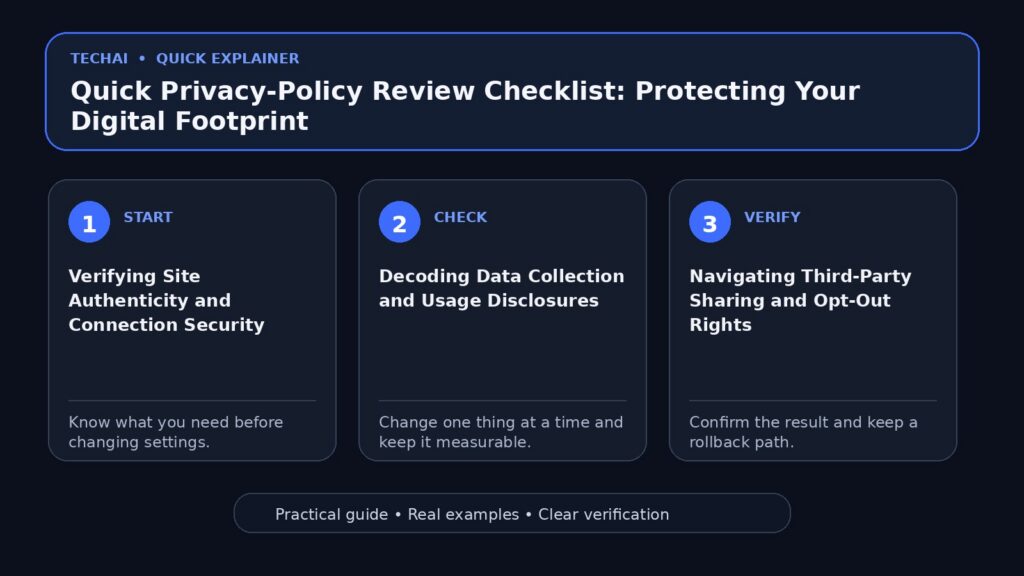
Verifying Site Authenticity and Connection Security
The first step in any privacy review occurs before you even read the policy text: you must verify the legitimacy of the website itself. The Federal Trade Commission emphasizes that official government websites typically end in the .gov or .mil suffixes. This is a crucial distinction because scammers often create 'official-looking' documents and websites to trick users into providing sensitive data, such as Social Security numbers or financial records. If you are seeking information regarding tax debt, health insurance, or jury duty, ensuring you are on a verified federal or state site is the most effective way to avoid impersonation scams.

Beyond the domain suffix, the technical security of the connection is a non-negotiable requirement for privacy. A secure site will always display 'https://' at the beginning of its URL. This prefix signifies that the website is using encryption to protect the information you provide as it is transmitted across the network. Encryption ensures that even if data is intercepted by unauthorized third parties, it remains unreadable. If a website lacks this secure connection or the browser displays a warning about the site's security certificate, any privacy policy it presents is effectively undermined by poor data transit practices.
Consumers must also remain vigilant when using search engines to find services. The FTC warns that scammers and dishonest businesses often pay to appear at the top of search results. Just because a link is the first result does not mean it has been vetted for legitimacy or safety. Before clicking, always inspect the URL and look for the secure lock icon in the address bar. This initial technical audit is the foundation of a secure digital footprint and prevents you from entering your personal details into a fraudulent portal designed to harvest user data.
- Check for the .gov or .mil suffix for official government interactions.
- Confirm the 'https://' prefix is present in the browser address bar.
- Look for a lock icon, which signifies an encrypted connection.
- Be wary of sites that appear at the top of search results via paid ads.
Decoding Data Collection and Usage Disclosures
A transparent privacy policy must clearly define the scope of information being collected from the user. This often includes 'sensitive information,' which the FTC identifies as data like your physical location, financial details, or health-related information. When reviewing a policy, you should look for a dedicated section titled 'Information We Collect' or 'Data Categories.' A legitimate service will be specific about whether it is accessing your contacts, microphone, camera, or GPS data. If the policy uses overly broad language, such as 'collecting all available device data,' it may be a sign of excessive data harvesting.
Understanding the 'purpose of processing' is just as vital as knowing what is collected. Legitimate companies collect data to improve the functionality of their services or to provide personalized user experiences. However, some entities collect data for secondary purposes that do not directly benefit the consumer, such as building profiles for third-party advertisers. A robust policy will explain exactly why each piece of data is necessary. For example, a navigation app needs your location to provide directions, but a simple calculator app requesting access to your contacts is a major red flag that suggests data overreach.
You should also investigate whether the company collects data about you from third-party sources. Some businesses supplement the information you provide with data purchased from brokers or gathered from social media profiles. This practice can create a surprisingly detailed and intrusive profile of your habits and preferences. A privacy-conscious company will disclose these external data sources and explain how that information is integrated into your account. If a policy is silent on the use of third-party data, it may indicate a lack of transparency regarding the full extent of their tracking capabilities.
- Search for keywords like 'Personal Information' and 'Usage Logs.'
- Determine if the app requires access to hardware like your camera or GPS.
- Check if the data collection is 'proportionate' to the service provided.
- Identify if the company collects data from third-party sources about you.
Navigating Third-Party Sharing and Opt-Out Rights
One of the most critical sections of any privacy policy involves data sharing and disclosures to third parties. Many applications and websites share or sell user data to advertisers, data brokers, or corporate affiliates. The FTC warns that social media platforms, in particular, do not always thoroughly vet the advertisers or the ads that appear in your feed. This lack of vetting means that if a platform's sharing policies are too permissive, your personal information could end up in the hands of dishonest businesses or scammers who use it to target you with fraudulent offers.
When reviewing the sharing section, look for specific 'Opt-out' clauses. These clauses are essential because they provide you with the right to tell a company not to share your information with third parties for marketing or behavioral advertising purposes. A policy that respects consumer autonomy will provide clear, easy-to-follow instructions on how to exercise these rights. If a policy makes it difficult to find opt-out settings or uses 'dark patterns' to discourage you from limiting data sharing, it is a significant indicator that the company prioritizes data monetization over user privacy.
Be particularly cautious of vague terminology such as 'sharing with trusted partners' or 'service providers' without a clear definition of who those entities are. While some sharing is necessary for the app to function—such as sharing your address with a delivery service—sharing for 'market research' or 'promotional purposes' is often optional. A high-quality privacy policy will list the categories of third parties they work with and the specific reasons for sharing data with them. If the policy claims the right to share data with 'any third party at our discretion,' you should consider the service a high risk to your privacy.
- Look for a list of 'Third-Party Service Providers' or 'Affiliates.'
- Check for 'Opt-Out' links or instructions to limit data sharing.
- Verify if the company 'sells' or 'shares' data for behavioral advertising.
- Note if the policy mentions sharing data with law enforcement.
Specialized Protections: Children and Health Data
Certain categories of data are protected by specific federal regulations that impose stricter requirements on companies. The Children’s Online Privacy Protection Act (COPPA) is a primary example, giving parents direct control over what information websites can collect from their children. If a service is directed at children or knows that it is collecting data from users under the age of 13, its privacy policy must explicitly state its compliance with COPPA. This includes the requirement to obtain 'verifiable parental consent' before any personal information is gathered. Any app targeting minors that lacks these specific disclosures is in violation of federal law.

Health-related data also requires a high level of scrutiny, especially given the sensitivity of medical records and wellness information. The FTC provides specific guidance on health privacy, noting that scammers often target individuals during 'Open Enrollment' periods for Medicare or the health insurance Marketplace. A privacy policy for a health-related app or website should clearly state how it handles medical data and whether it adheres to established security standards. Be wary of health apps that do not define their data security protocols or those that suggest your health information might be shared with insurance companies or employers without your explicit consent.
Scams involving health insurance often involve search results where dishonest businesses pay to appear at the top. These sites may look legitimate but are designed to harvest your medical and financial information. When reviewing policies for health services, ensure the company provides a physical address and a clear method for contacting their privacy officer. If the policy is generic or seems to focus more on marketing than on the protection of sensitive medical data, it is best to avoid the service and seek out a verified provider through official government portals like those ending in .gov.
- Verify COPPA compliance if the service is used by minors.
- Check for specific 'Health Privacy' or 'Medical Data' sections.
- Look for parental consent mechanisms for users under 13.
- Be cautious of health apps that do not define security protocols.
Financial Privacy and Identity Theft Safeguards
Financial privacy is governed by specialized rules designed to protect consumers from the devastating effects of identity theft. The Gramm-Leach-Bliley Act (GLBA) and the Red Flags Rule are two critical frameworks that require financial institutions to protect your data and implement programs to detect the 'red flags' of identity theft. When you are reviewing the privacy policy of a bank, a loan provider, or a credit card app, look for mentions of these specific protections. These regulations ensure that your sensitive financial records are not shared with non-affiliated third parties without your knowledge and that the institution has a plan to respond if your data is compromised.
A legitimate financial service will also be transparent about how it reports data to credit bureaus. The FTC recommends that consumers regularly check their free credit reports to ensure that no unauthorized accounts have been opened in their name. A privacy policy should explain your rights regarding credit reporting and how you can dispute inaccuracies. If a company promises to 'get rid of your debt' for 'pennies on the dollar' or charges upfront fees for debt relief without even looking into your specific tax or financial situation, it is likely a scam. These dishonest companies often fail to provide any actual service and leave consumers in a worse financial position with authorities.
Furthermore, you should be skeptical of any financial service that requires you to provide your Social Security number or bank account details over an unencrypted connection. Always look for the 'https://' prefix and the lock icon before entering financial data. If a company’s privacy policy does not mention how they secure your financial information—such as through the use of multi-factor authentication or advanced encryption—it is a sign that they may not be meeting the standards required by the Red Flags Rule. Protecting your financial data requires a combination of reviewing policies and active monitoring of your credit history.
- Look for 'Gramm-Leach-Bliley Act' or 'GLBA' disclosures.
- Check for 'Identity Theft' protection and 'Red Flags' compliance.
- Verify how the company handles your Social Security number.
- Avoid services that charge upfront fees for 'debt relief'.
Identifying Red Flags: Scams and Stalkerware
Privacy concerns are not limited to corporate data collection; they also include the threat of 'stalkerware.' These are malicious apps or programs used by abusive partners or ex-partners to secretly track a device and monitor online activity. The FTC advises consumers to be alert for signs that stalkerware may be installed on their devices, such as a sudden and unexplained drain in battery life or the appearance of unfamiliar apps. A legitimate application will never ask for permissions that allow it to run invisibly or hide its presence from the user. If a privacy policy or app description suggests that the software can be used to 'monitor others without their knowledge,' it is a major red flag.
Another significant red flag involves impersonation scams that use the guise of official business to steal money or personal information. Scammers may pretend to be your utility company (gas, electric, or water) and threaten to shut off your service unless you pay immediately. They may also impersonate government officials, claiming you missed jury duty and must pay a fine to avoid arrest. A legitimate privacy policy or communication from a real agency will never threaten you with arrest or demand payment via gift cards, wire transfers, or gold. These are classic signs of a scam designed to bypass traditional financial protections.
If you encounter an app that requires you to disable built-in security features—such as 'rooting' an Android device or 'jailbreaking' an iPhone—to function, you should immediately uninstall it. These actions strip away the operating system's native privacy protections and make it easier for stalkerware or other malware to operate. Legitimate companies work within the security frameworks provided by device manufacturers. Any policy that encourages you to bypass these safeguards is essentially asking you to leave your digital footprint completely unprotected.
- Watch for apps that request 'Device Administrator' access unnecessarily.
- Be skeptical of policies that do not provide a physical address.
- Avoid apps that require you to disable built-in security features.
- Report any app that uses threatening language or impersonates officials.
Practical Steps for Reporting and Recourse
A transparent and trustworthy privacy policy should provide clear instructions on how you can access, correct, or delete your personal data. These 'User Rights' are essential for maintaining control over your digital footprint. If a company makes it difficult to find the contact information for their privacy officer or does not provide a portal for data requests, it is a significant drawback for your personal security. You should be able to request a copy of the data a company holds on you and, in many cases, request that your account and all associated data be permanently deleted.
If you believe a company has violated its own privacy policy or engaged in deceptive practices, the FTC provides several avenues for recourse. You can report fraud, identity theft, or 'Take It Down' violations directly to the commission through their official portals. Reporting these issues is not just about your own case; it helps the FTC track patterns of abuse and take enforcement action against businesses that fail to protect consumer privacy. For instance, if you were scammed after clicking a social media ad, reporting it helps the FTC identify dishonest advertisers and the platforms that host them.
In the event that you have already shared personal information or paid a scammer, the FTC recommends immediate action. Visit IdentityTheft.gov to get a personalized recovery plan and monitor your credit reports for any unauthorized activity. You should also report the incident at ReportFraud.ftc.gov. Taking these steps quickly can help mitigate the damage and prevent the scammer from using your information to open new accounts or commit further fraud. Remember, the FTC will never threaten you or tell you to transfer money to 'protect it'—any such communication is a scam.
- Locate the 'Contact Us' section specifically for privacy inquiries.
- Check for the ability to delete your account and associated data.
- Identify the process for requesting a copy of your data.
- Use official channels like ReportFraud.ftc.gov for deceptive practices.
Limitations of Privacy Policies and Consumer Vigilance
While a privacy policy is a vital document, it is important to recognize its limitations. A policy is a statement of intent, but it does not guarantee that a company will always follow its own rules or that its security measures are impenetrable. Furthermore, the existence of a policy does not mean the service is 'safe.' As the FTC notes, social media platforms do not always thoroughly vet the ads or the advertisers behind them. This means that even a platform with a robust privacy policy can still be a conduit for scams if you click on an unvetted advertisement in your feed.
Consumer vigilance must extend beyond simply reading the text of a policy. It involves a continuous process of monitoring your digital presence and being skeptical of unsolicited communications. Whether it is a call claiming you missed jury duty or an email from a 'utility company' demanding payment, you must verify the source independently. Use official phone numbers from your bills or government websites rather than the contact information provided in a suspicious message. Privacy is as much about your behavior and skepticism as it is about the legal documents provided by the companies you use.
Ultimately, the goal of a privacy-policy review is to make an informed decision about whether the benefits of a service outweigh the risks to your personal data. By using the FTC's guidelines to identify red flags—such as a lack of encryption, vague sharing clauses, or non-compliance with laws like COPPA and GLBA—you can take control of your digital footprint. Stay informed, report suspicious activity, and remember that your personal information is a valuable asset that deserves rigorous protection.
- Understand that a policy is a statement of intent, not a guarantee.
- Recognize that social media ads are not always thoroughly vetted.
- Verify unsolicited communications through independent, official channels.
- Balance the benefits of a service against the disclosed data risks.
Key takeaways
- Always verify that the website uses 'https://' for encrypted data transmission and check for the .gov suffix on government sites.
- Check for COPPA compliance and parental controls if children under 13 are using the service.
- Look for 'Opt-out' options to prevent your data from being sold to third-party advertisers or data brokers.
- Be wary of paid search results and social media ads, as they may lead to unvetted or dishonest businesses.
- Report privacy violations, identity theft, or impersonation scams directly to the FTC via official portals like ReportFraud.ftc.gov.
Common mistakes to avoid
- Assuming that an ad on a major social media platform has been thoroughly vetted for legitimacy or safety.
- Clicking on the first search result for sensitive services like health insurance or tax help without checking for the .gov suffix.
- Ignoring signs of 'stalkerware,' such as unfamiliar apps or rapid battery depletion on mobile devices.
- Sharing sensitive information on websites that do not display the secure lock icon or 'https' prefix in the address bar.
Useful TechAI links
FAQ
What should I do if I think I've been scammed by a website?
If you have shared personal information or paid a scammer, you should immediately report the incident to the FTC at ReportFraud.ftc.gov. You should also visit IdentityTheft.gov to get a recovery plan and monitor your credit reports for any unauthorized activity.
How can I tell if a government website is official?
Official U.S. government websites typically end in .gov or .mil. Before sharing any sensitive information, always check the URL suffix to ensure you are on a legitimate federal or state site rather than a commercial imitation.
Does the FTC vet all ads on social media?
No, social media platforms do not always thoroughly vet the ads or the advertisers behind them. This means that even if an ad looks real and appears in your feed, it could still be a scam or lead to a dishonest business.
What is COPPA and why does it matter in a privacy policy?
COPPA stands for the Children’s Online Privacy Protection Act. It is a federal law that gives parents control over what information is collected from their children online, requiring sites to get parental consent before collecting data from kids under 13.