A better AI prompt is not about using complicated wording. It is about giving the model enough useful context to understand the task, the audience, the limits, and the form of the answer you want.
Start with the goal before the details
Before adding instructions, write one sentence that explains what you actually need. “Help me improve this support email” is more useful than “write something professional.” A clear goal gives the rest of the prompt a direction.

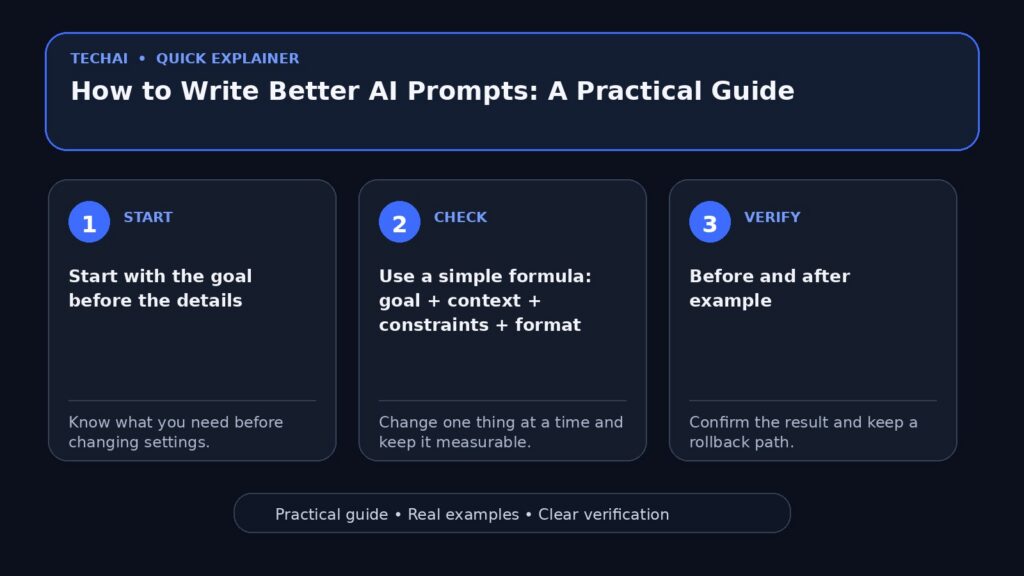
Use a simple formula: goal + context + constraints + format
A practical prompt can be built from four parts: what you want, the relevant background, any limits, and the desired output. For example: “Create a beginner checklist for securing an online account. Keep it under ten steps, avoid unnecessary jargon, and use short bullet points.”
Before and after example
Weak: “Write about backups.”
Better: “Explain to a beginner how to back up phone photos before replacing a device. Compare cloud and local backup, include a verification step, and finish with a short checklist.”
Break large tasks into smaller parts
For a large article, plan, or software task, ask for the outline first. Review it, then work section by section. Smaller steps make errors easier to spot and reduce the chance that the model fills gaps with assumptions.
Give examples when style matters
If tone or format matters, provide a short example of what you like. You do not need to paste a full article. A few representative sentences can communicate the desired level of detail, vocabulary, and structure.
Ask the tool to state its assumptions
When the prompt is missing information, ask the model to identify assumptions or ask one focused question before continuing. This is especially useful for planning, troubleshooting, and comparisons.
How do you request a useful comparison?
Name the criteria instead of asking “which is best?” Compare options by price, privacy, compatibility, learning curve, limits, or another criterion that actually matters to your use case. A universal winner is rarely meaningful.

Request verification when information is current
Prices, plans, software versions, policies, and availability can change. For current facts, ask for official sources and verify them yourself before making an important decision.
Use a short improvement loop
Instead of rewriting the entire prompt every time, tell the assistant what is wrong with the current result: too long, too generic, missing examples, or using the wrong level of detail. One or two focused revision rounds are usually more useful than repeatedly starting from zero.
Reusable instructions
- “Explain this for a beginner, then give one practical example.”
- “List the assumptions you are making before answering.”
- “Separate confirmed facts from suggestions.”
- “Turn this into a checklist I can follow.”
- “Compare these options using the same criteria.”
Common mistakes
Common problems include vague goals, too many unrelated tasks in one prompt, asking for current facts without verification, and treating the first answer as final. Another mistake is sharing private data the task does not require.
A template you can edit
Task: [what you want].
Context: [what the assistant needs to know].
Audience: [who the result is for].
Constraints: [length, tone, exclusions, safety limits].
Output: [steps, table, email, code, checklist, etc.].
When improving the prompt is not enough
If the tool lacks current information, cannot access the required file, or is simply the wrong tool for the task, more prompt engineering will not solve the problem. Change the workflow or use a source that can provide the missing information.
A prompt quality check before you press send
Before submitting an important prompt, read it once as if you were the model and look for missing decisions.
- Goal: Is the task explicit?
- Context: Did you provide the facts the answer actually needs?
- Constraints: Are length, tone, audience, or exclusions clear?
- Format: Did you say whether you want steps, a table, code, or prose?
- Verification: If facts can change, did you ask for current sources or mark what needs checking?
If the first answer is close but not right, change one missing instruction instead of rewriting the entire prompt from scratch.
Conclusion
A strong prompt reduces unnecessary guessing. Start with the outcome, add only relevant context, define important limits, and specify the output format. Then review and verify the result instead of treating AI as an automatic final answer.