As smart home technology becomes more integrated into our daily lives, the surface area for potential cyber threats expands. Hackers are increasingly using automated tools to identify weak spots in software and systems, putting personal data and home privacy at risk. Securing your digital environment is no longer just for large organizations; it is a fundamental requirement for individuals and families who want to maintain a safe and private household.
By combining the Cybersecurity and Infrastructure Security Agency’s (CISA) four core pillars of digital hygiene with the native security features found in Google Nest devices, you can build a robust defense. This guide provides a practical roadmap for implementing these government-recommended standards while leveraging built-in manufacturer protections to keep your smart home resilient against evolving threats.
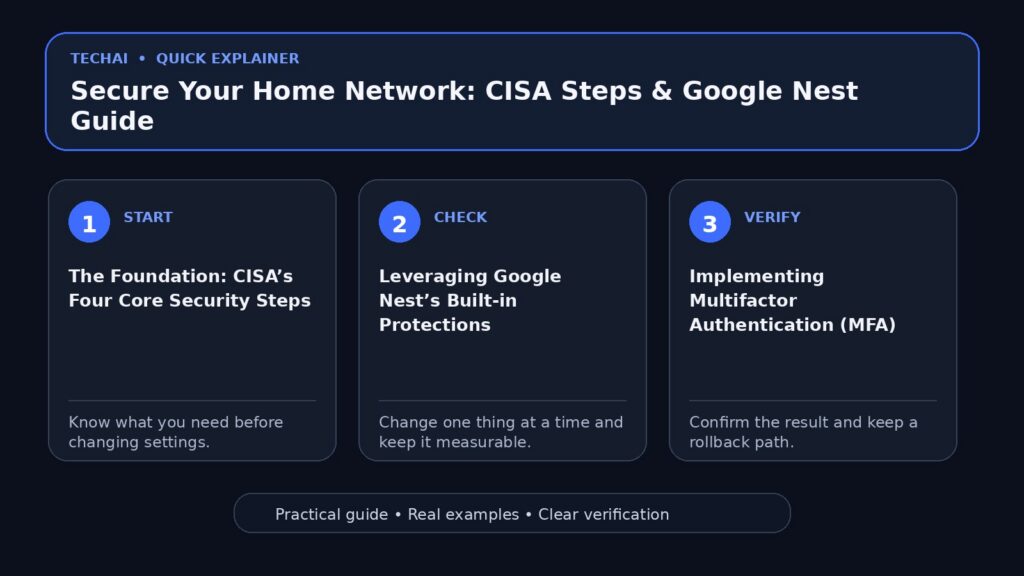
The Foundation: CISA’s Four Core Security Steps
CISA identifies four essential actions that every individual should take to establish a minimum level of protection from online threats. These steps are designed to be accessible yet highly effective at stopping the majority of common cyberattacks. By focusing on these core behaviors, you create a layered defense that makes it significantly harder for unauthorized users to access your network. These steps are not just suggestions; they are the baseline for digital safety in an era where threats are getting faster and smarter.

The first two steps involve managing how you access your accounts. Using strong, unique passwords for every device and service is critical, but it is no longer enough on its own. CISA strongly recommends the use of multifactor authentication (MFA) and password managers to ensure that even if one credential is leaked, your entire digital life remains secure. This approach moves beyond simple secrets and introduces a verification process that is much harder for automated hacking tools to bypass.
The final two steps focus on active maintenance and vigilance. Keeping software updated is vital because new and evolving technology, such as Super Intelligence, is accelerating the rate at which hackers can find and take advantage of weak spots. Simultaneously, learning to avoid and report phishing scams ensures that the human element of the network remains as secure as the hardware. Together, these four pillars form a comprehensive shield for any modern household.
- Use strong, unique passwords for every account.
- Enable multifactor authentication (MFA) wherever possible.
- Utilize a password manager to track complex credentials.
- Learn to identify and report phishing scams immediately.
- Keep all software and firmware updated to the latest versions.
Leveraging Google Nest’s Built-in Protections
Google Nest devices are designed with a 'secure by default' philosophy, meaning many of the most critical protections are active from the moment you plug them in. This includes industry-leading security infrastructure that works in the background to monitor for threats without requiring constant user intervention. By building security into the foundation of the product, Google ensures that users do not have to be technical experts to maintain a high level of digital safety.
One of the primary advantages of the Nest ecosystem is its commitment to data privacy. Google states that Nest keeps your data private through built-in security measures and automatic updates. This ensures that as new vulnerabilities are discovered globally, your home hardware receives the necessary patches to stay protected. This proactive approach is essential for mitigating risks from end-of-support devices and evolving edge-device threats.
Furthermore, Google emphasizes that privacy is personal, providing users with easy-to-use settings to control their information. This includes a commitment to never selling personal information to anyone. By combining these manufacturer-level safeguards with CISA's recommended user behaviors, you create a dual-layered security model that protects both the device hardware and the personal data it collects.
- Automatic updates ensure devices have the latest security patches.
- Built-in security infrastructure monitors for suspicious activity.
- Privacy-first design prevents the sale of personal information.
- Integrated controls allow users to manage data sharing easily.
Implementing Multifactor Authentication (MFA)
Multifactor authentication is perhaps the single most effective tool for preventing unauthorized access to your smart home. Even if a hacker successfully phishes your password, MFA requires a second form of verification—such as a code sent to your phone or a physical security key—to grant access. This aligns with CISA's core advice for individuals and families to ensure a minimum level of protection from online threats.
For Google Nest users, this protection is integrated into the Google Account settings. By securing the primary account linked to your Nest devices with MFA, you effectively lock down your cameras, thermostats, and smart speakers. Google provides various authentication methods, including on-device prompts and security keys, allowing users to choose the method that best fits their daily routine while maintaining high security.
CISA highlights that MFA is a critical defense against the increasing speed of cyber threats. In a smart home context, where devices are often interconnected, a single compromised account could lead to a total breach of privacy. Implementing MFA creates a 'checkpoint' that stops unauthorized actors from moving laterally through your digital life, even if they have obtained your primary login credentials.
- MFA adds a layer of defense beyond just a username and password.
- It prevents access even if your password has been compromised.
- Google accounts support various MFA methods, including prompts and keys.
- CISA recommends MFA for all individuals and families.
Managing Software Updates and Vulnerabilities
Outdated software is one of the most common entry points for cyberattacks. CISA emphasizes that updating software is a core step in staying secure, as these updates often contain 'patches' for security holes that hackers have learned to exploit. For smart home devices, this includes both the mobile apps you use for control and the firmware running on the devices themselves. Failing to update can leave your network exposed to known vulnerabilities that are easily targeted.
Google Nest simplifies this process by providing automatic updates. This 'set it and forget it' approach reduces the risk of a device falling behind on security standards. However, users should still periodically check their Google Home or Nest app to ensure all devices are connected and successfully receiving these background improvements. This is particularly important for edge devices that may occasionally lose connectivity.
CISA's guidance also points toward prioritizing security updates based on risk. In a home environment, devices with cameras or microphones should be the highest priority for updates. By ensuring that your smartphone operating system and your Nest firmware are both current, you close the loop on potential entry points, making it much harder for evolving technology like AI-driven hacking tools to find a way in.
- Updates fix known weak spots in computer software and systems.
- Nest devices perform automatic updates to maintain security.
- Regularly check the status of your devices in the management app.
- Ensure your smartphone OS is also updated to protect control apps.
Recognizing and Reporting Phishing Scams
Phishing remains a primary method for hackers to gain access to home networks. These scams often involve deceptive emails or messages that appear to be from trusted sources, like Google or a utility company, asking you to click a link or provide login credentials. CISA advises that avoiding and reporting these scams is a critical skill for modern digital safety, as it prevents the initial breach of the network.
Google's ecosystem, including Gmail and Chrome, includes built-in protections that block many of these threats before they reach you. However, human vigilance is still required. If you receive an unexpected request to 'verify your Nest account' or 'update payment details,' always navigate directly to the official website or app rather than clicking links in an email. This simple habit can prevent the majority of credential theft attempts.
Reporting these incidents is just as important as avoiding them. CISA encourages individuals to report cyber issues to help the broader community stay safe. By flagging a phishing attempt within your Google account or reporting it to official government channels, you contribute to a collective defense that helps identify and shut down malicious infrastructure before it can claim more victims.
- Be skeptical of urgent or unexpected requests for personal info.
- Check the sender's email address for subtle misspellings.
- Report phishing attempts to CISA or the service provider.
- Use Google's built-in tools to block and flag suspicious content.
Privacy Controls and Data Management
Security and privacy are two sides of the same coin. While security prevents unauthorized access, privacy controls dictate how authorized data is used. Google Nest provides users with specific settings to control their data, including the ability to view and delete activity history and manage how the Google Assistant interacts with your information. These tools are essential for maintaining a small digital footprint.
CISA notes that as technology like AI accelerates, the rate at which hackers find weak spots increases. Using the privacy tools provided by manufacturers allows you to minimize the amount of sensitive data stored in the cloud, thereby reducing your 'attack surface'—the total amount of information available to be compromised in the event of a breach. A smaller attack surface means less risk to your family if a service is disrupted.
Effective data management also involves understanding what information is being shared. Google's 'Safer by Design' approach means that privacy isn't just a feature but a foundation. Users should take advantage of the Google Safety Center to review their privacy settings regularly, ensuring that only necessary data is being collected and that old, unnecessary logs are purged from the system.
- Access privacy settings directly through your Google Account.
- Review and delete activity history regularly.
- Control which devices have access to your location and voice data.
- Use 'Incognito' modes where available to limit data logging.
Securing the Network Perimeter
Your home Wi-Fi router is the gateway to all your smart devices. If the router is insecure, every device connected to it—from your Nest Cam to your laptop—is at risk. Following CISA's advice for organizations, individuals should also consider 'reducing attack surfaces' by disabling unnecessary features on their routers and ensuring the administrative password is not the factory default. This prevents hackers from gaining control of the entire network traffic flow.
Google Nest Wifi and other modern mesh systems often integrate security features directly into the network management app. This allows you to see every device connected to your network and receive alerts if a new, unrecognized device attempts to join. Monitoring your network 'logs' or device lists is a proactive way to spot trouble early and identify potential unauthorized access before it leads to a data breach.
Finally, consider the physical security of your network hardware. CISA notes that physical security is a key topic in overall risk management. Ensuring that your router is in a secure location and that physical reset buttons are not easily accessible to visitors can prevent local tampering. A secure perimeter is the first line of defense in a comprehensive home cybersecurity strategy.
- Change default router passwords immediately upon setup.
- Use WPA3 or the highest available encryption for Wi-Fi.
- Monitor the list of connected devices in your network app.
- Create a guest network for visitors to keep your main network private.
Key takeaways
- Implement CISA's 4 core steps: MFA, strong passwords, software updates, and phishing awareness.
- Enable automatic updates on Google Nest devices to ensure you have the latest security patches.
- Use a password manager to maintain unique, complex credentials for every smart home account.
- Leverage Google's 'Secure by Default' infrastructure to protect your personal data and privacy.
- Regularly review privacy settings and activity logs to minimize your digital footprint.
Common mistakes to avoid
- Reusing the same password across multiple smart home devices and email accounts.
- Ignoring software update notifications on smartphones or tablets used to control the home.
- Clicking on links in 'urgent' security alert emails instead of going directly to the official app.
- Leaving the default administrator credentials on your home Wi-Fi router.
Check your website next
- Check your website free
- Full Website Audit — $9
- Website Growth Bundle — $39
- Website Fix Implementation — from $149
FAQ
Does Google Nest update itself automatically?
Yes, Google Nest devices are designed to receive automatic updates to keep your data private and secure. This ensures that the latest security patches are applied without requiring manual intervention from the user, keeping the device resilient against new threats.
What are CISA's 4 core steps for staying secure?
The four core steps recommended by CISA are: using strong passwords, enabling multifactor authentication (MFA), updating your software regularly, and recognizing and reporting phishing scams. These actions provide a baseline level of protection for individuals and families.
How does Google protect my privacy with Nest?
Google builds Nest products to be private by design and secure by default. They state that they do not sell your personal information to anyone and provide easy-to-use settings so you can control your data and activity history.
Why is multifactor authentication (MFA) so important for smart homes?
MFA provides a critical second layer of defense. Even if a hacker steals your password, they cannot access your home devices or account without the second verification step, such as a code or security key, which stops most unauthorized access attempts.