WordPress is often celebrated for being search engine friendly right out of the box. Its core architecture is designed to guide search engine spiders through posts, pages, and categories, facilitating the gathering of information for database inclusion. However, this inherent friendliness is not indestructible. As site owners introduce custom themes, third-party plugins, and complex design elements, they can inadvertently break the very features that make the platform SEO-efficient.
Understanding the technical nuances of how search engines interact with your site is essential for maintaining visibility. This guide explores the critical intersection of WordPress configuration and search engine crawlability, focusing on the quiet issues that can prevent your content from being discovered, crawled, and indexed. By aligning your site's technical structure with official best practices, you can ensure that your content is not just published, but effectively processed by search engines like Google.
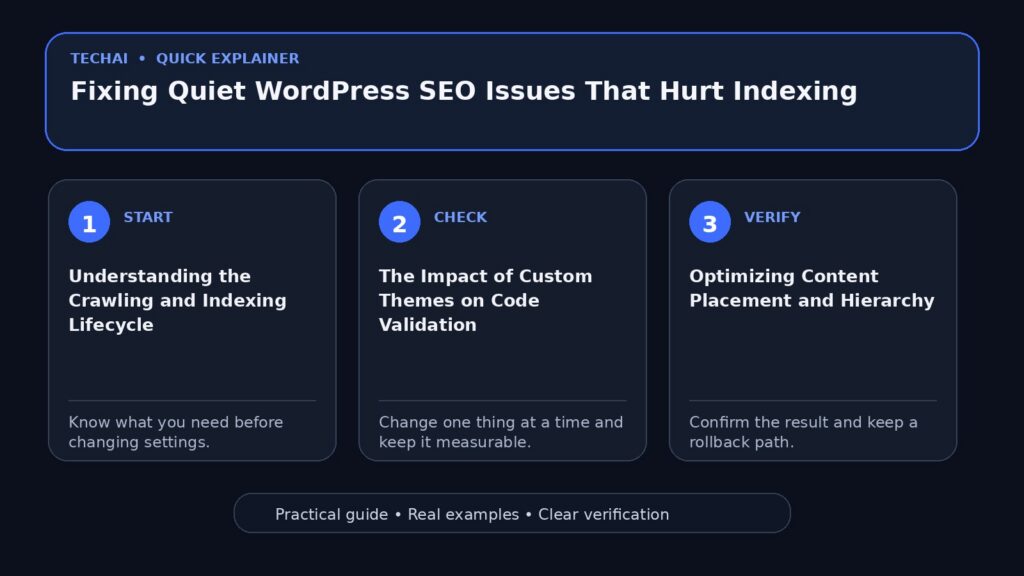
Understanding the Crawling and Indexing Lifecycle
To troubleshoot SEO issues, one must first distinguish between the three primary stages of search discovery: the Googlebot, crawling, and indexing. The Googlebot is the software used by Google to gather new information uploaded online. It acts as the primary agent that roams the web to detect new or updated content. Crawling is the actual process of this software moving from site to site, following links to find new data. It typically starts with pages cited in previous searches and then branches out to new pages associated with those existing ones.

Indexing occurs after the crawling phase. Once the Googlebot gathers information, it is processed to determine the quality and relevance of the content. This processing determines how and where the content will be placed within search results. If a page is crawled but not indexed, it will not appear in search queries. This distinction is vital because a site might have no technical issues with being 'seen' by a bot, yet fail the 'indexing' phase due to content quality or structural problems.
Googlebot finds information primarily through two avenues: sitemaps and links. Sitemaps provide a roadmap of your site's structure, while links act as the bridges between individual articles and external sites. If these pathways are obstructed by technical errors or poor configuration, the lifecycle is interrupted, leading to 'quiet' indexing failures where content exists on the server but remains invisible to searchers.
- Googlebot: The software agent that gathers online information.
- Crawling: The process of roaming between sites to detect new data.
- Indexing: The processing of gathered data to determine search placement.
- Discovery: How bots find new pages via sitemaps and existing links.
- Processing: The evaluation of content quality during the indexing phase.
The Impact of Custom Themes on Code Validation
While WordPress core is search-friendly, the themes used to style a site can introduce significant SEO hurdles. Search engines do not 'see' a site's visual design; they 'read' the underlying code. If a theme contains validation errors, it may prevent a search engine spider from moving through the site successfully. Clean, valid code is a prerequisite for optimal crawlability, as it ensures that the bot can parse the HTML without getting stuck on syntax errors.
Many WordPress themes are designed with aesthetics as the priority, which can lead to bloated or non-standard code structures. When you customize a theme or use various third-party 'hacks' to achieve a specific look, you risk breaking the built-in search engine friendly features of the WordPress core. This is why it is essential to ensure that any theme modifications maintain the integrity of the site's code validation.
A common mistake is assuming that a visually perfect site is technically sound. Because search engines ignore CSS and styles to focus on the raw content, a theme that looks great to a human user might be a labyrinth of broken tags to a crawler. Regular testing of your site's code against validation standards is a practical step to ensure that technical barriers are not quietly hindering your search performance.
- Search engines read code, not visual design or CSS.
- Code validation errors can stop crawlers from navigating a site.
- Customizations often break core WordPress SEO features.
- Clean code ensures spiders can move gracefully between pages.
- Validation should be checked after any major theme update.
Optimizing Content Placement and Hierarchy
Search engines typically prioritize the content found at the beginning of a page's code. Most well-designed WordPress themes are structured to put the main content as close to the top of the unstyled page as possible. This is critical because few search engines scan more than the first third of a page before moving on to the next link. If your theme places sidebars, headers, or extensive navigation menus before the actual article text in the HTML, you may be burying your most important information.
The relationship between keywords, links, and titles is also a major factor in how content is evaluated. Search engines use a 'sifter' to give credit to certain words and combinations. They compare the words found within your document to those found in your links and titles. A high degree of matching between these elements improves the 'score' of the page, as it signals a consistent and relevant topic to the crawler.
When designing or choosing a theme, verify that the 'Content First' principle is applied. This means that in the raw HTML source, the <h1> tag and the primary body text should appear before the footer and sidebar code. This hierarchy ensures that the most relevant information is within the initial portion of the page that search engines are guaranteed to scan.
- Search engines often scan only the first third of a page.
- Primary content should be near the top of the unstyled HTML.
- Sidebars and footers should ideally appear lower in the code.
- Keywords in titles and links should match the body content.
- Hierarchy helps search engines categorize the page accurately.
Managing Link Crawlability and Anchor Text
Google uses links as a primary signal for determining page relevancy and for discovering new pages. However, not all links are created equal. For a link to be crawlable, it must generally be an <a> HTML element with an href attribute. Links that rely on other attributes or JavaScript events to trigger navigation may not be followed by search engine spiders, effectively orphaning the pages they point to.

The anchor text—the visible, clickable text of a link—is equally important. It provides context to both users and search engines about the content of the destination page. Descriptive anchor text helps Google make sense of your site's structure and the relationship between different topics. Avoid generic phrases like 'click here' in favor of text that describes the linked resource.
Internal navigation links to categories, archives, and various pages on your site invite search engines to move through your entire site. A well-linked site allows a crawler to visit most of your pages by following a logical path. Conversely, if your navigation is broken or uses non-standard link formats, large sections of your site may remain uncrawled and unindexed.
- Use standard <a> HTML elements for all critical links.
- Ensure links have an href attribute to be crawlable.
- Write descriptive anchor text to provide topical context.
- Internal links to archives and categories aid discovery.
- Avoid using JavaScript-only navigation for essential pages.
Leveraging Built-in WordPress SEO Tools
WordPress includes several built-in tools that facilitate search optimization, most notably the ability to create 'apparently static' URLs called permalinks. By using the .htaccess file, WordPress can transform complex, database-driven URLs into clean, readable strings. These permalinks are more easily interpreted by search engines and users alike, providing a clear indication of the page's content through the URL structure itself.
Other built-in features include pinging and blogrolling. Pinging automatically notifies various services when you update your site, which can speed up the discovery of new content. While 'blogrolling' is an older term, the concept of managing link relationships remains relevant. WordPress also handles pingbacks and trackbacks, which help connect your site to others in your niche, potentially increasing your link popularity.
Link popularity remains a significant factor in search engine favoritism. It is not just about the quality of your own site, but the quality of the sites that link to you. While leaving comments on other blogs generally does not help—as modern tools use the rel='nofollow' attribute to prevent spam—legitimate incoming links from directories or forum signatures can help build the 'link' connections Google looks for.
- Permalinks create clean, static-looking URLs via .htaccess.
- Pinging notifies search services of new content updates.
- Pingbacks and trackbacks help establish link relationships.
- Link popularity is influenced by the quality of incoming links.
- Modern blog comments use 'nofollow' to discourage spamming.
Controlling Indexing with Robots Meta Tags
Sometimes, you may want to prevent certain parts of your site from appearing in search results. This is managed through robots meta tags, which provide page-level instructions to crawlers. These tags are included in the <head> section of an HTML page or via an HTTP header. For example, a 'noindex' tag tells search engines not to include that specific page in their index, even if they have crawled it.
Another useful tool is the 'data-nosnippet' attribute. This is a text-level setting that can be applied to specific HTML elements (like a <div> or <span>) to prevent Google from using that specific text as a snippet in search results. This is particularly useful if you have sensitive information or boilerplate text that you don't want appearing in the search result description.
It is important to remember that these settings can only be followed if the crawler can actually access the page. If a page is blocked in the robots.txt file, the crawler will never see the 'noindex' meta tag inside the HTML. Therefore, meta tags are best used for pages that are accessible to bots but should be excluded from the public search index.
- Robots meta tags provide page-level indexing instructions.
- The 'noindex' tag prevents a page from appearing in results.
- The 'data-nosnippet' attribute excludes specific text from snippets.
- Tags can be implemented in HTML or via HTTP headers.
- Crawlers must be able to access the page to read these tags.
Image and Link Metadata for Context
Search engines cannot 'see' images in the traditional sense; they rely on textual descriptions to understand visual content. This is where 'alt' and 'title' attributes for image tags become essential. While their primary purpose is accessibility—helping visually impaired users understand the image—they also provide valuable content for search engines to digest. Including descriptive keywords in these attributes helps your images (and the pages they are on) rank for relevant queries.
Similarly, the 'title' attribute in link tags can provide additional context about the destination of the link. While search engines prioritize the anchor text, these attributes contribute to the overall 'word content' of the site. For sites that are heavy on photographs or links and light on body text, these metadata fields are often the only way to provide the 'quality word content' that search engines require for scoring.
When adding images, avoid generic filenames and empty alt tags. Instead, use words that explain, share, or inform. This practice ensures that even if your page has minimal text, the search engine has enough material to examine and compare with other parts of your site to give you a proper score.
- Alt tags provide textual descriptions of images for crawlers.
- Title attributes in links offer extra context for the destination.
- Metadata is crucial for sites with minimal body text.
- Descriptive attributes improve overall site 'word content'.
- Accessibility features double as SEO content for bots.
Key takeaways
- Distinguish between crawling (discovery) and indexing (processing) to identify where SEO failures occur.
- Ensure your WordPress theme uses valid code, as syntax errors can block search engine spiders.
- Prioritize content hierarchy by placing primary text near the top of the HTML source code.
- Use standard <a> HTML elements for links to ensure they are crawlable by Googlebot.
- Utilize robots meta tags for precise control over which pages are indexed and which snippets are shown.
Common mistakes to avoid
- Burying main content below sidebars and menus in the HTML code, making it harder for bots to find.
- Using non-standard link structures or JavaScript-only navigation that crawlers cannot follow.
- Blocking a page in robots.txt while also using a 'noindex' meta tag, which prevents the bot from seeing the tag.
- Neglecting alt and title attributes for images, leaving search engines with no context for visual content.
Check your website next
- Check your website free
- Full Website Audit — $9
- Website Growth Bundle — $39
- Website Fix Implementation — from $149
FAQ
What is the difference between crawling and indexing?
Crawling is the process where Googlebot roams from site to site to detect new information. Indexing is the subsequent processing of that information to determine its quality and where it should be placed in search results.
Can a WordPress theme really break my SEO?
Yes. While WordPress core is SEO-friendly, custom themes can introduce code errors that prevent spiders from moving through the site or place content too low in the HTML for engines to scan effectively.
How does Googlebot find new pages on my site?
Googlebot finds new information primarily through sitemaps and by following links from previously cited pages or other websites.
Why don't blog comments help my link popularity?
Most modern blogging tools automatically add the rel='nofollow' attribute to links in comments, which tells search engines not to pass credit or 'favoritism' to the linked site.