
AI assistants are moving beyond simple question-and-answer chat. Newer tools can connect to workplace apps, handle multi-step tasks, work with documents, and in some cases continue delegated work in the background. That can save time, but it also makes one question more important: what should you delegate to AI, and what should you keep under direct human control?
This practical guide gives you a simple framework for using modern AI assistants at work without handing over more access, context, or decision-making authority than the task actually requires.
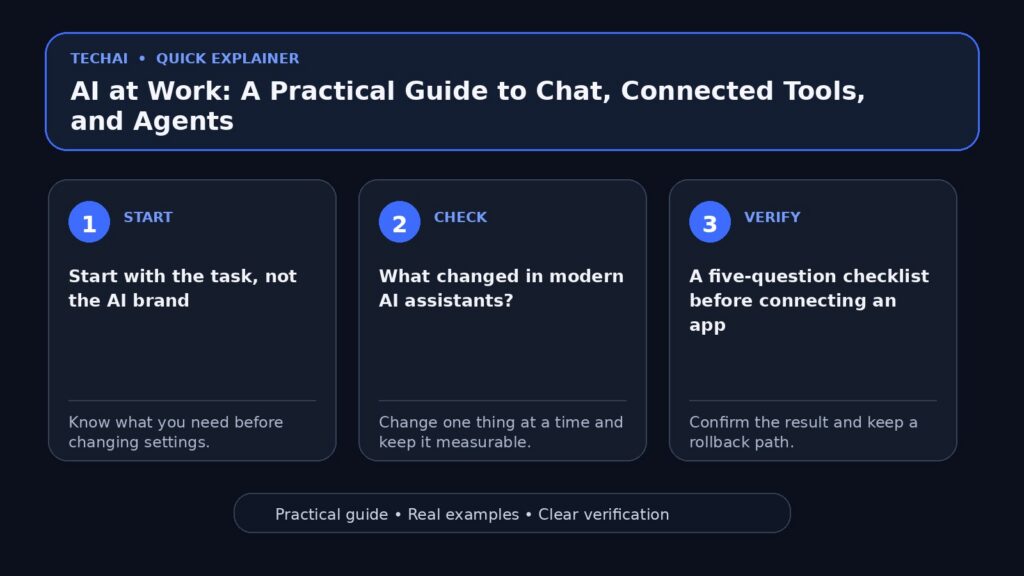
Start with the task, not the AI brand
Before opening an AI tool, define the outcome you need. A five-minute writing task and a recurring workflow should not be treated the same way. For a quick rewrite, a normal chat may be enough. For research across several documents, you may want a tool that can work with files. For a repeated process, an agent or automation may be more appropriate.

A useful rule is to choose the least powerful mode that can complete the job well. This reduces unnecessary permissions and makes the result easier to review.
Four common levels of AI assistance
- Chat: brainstorming, explaining, rewriting, summarizing, or answering questions.
- Context-aware assistance: working with a document, spreadsheet, inbox, project, or other data you intentionally provide.
- Tool-connected assistance: using approved integrations to retrieve information or prepare actions across apps.
- Delegated agents: completing longer or recurring workflows with less step-by-step input.
The higher you move on this list, the more important permissions, review steps, and clear boundaries become.
What changed in modern AI assistants?
Major AI platforms are increasingly adding connected-app and agent-style capabilities. Google announced a broader set of Connected Apps for Gemini in September 2026, including productivity and creative services. Microsoft also announced a redesigned Copilot experience with Home, Code, and Autopilot, describing Autopilot as a persistent agent intended for delegated work. Availability can vary by product, account, region, organization, and rollout stage, so check the official product documentation before planning a workflow around a specific feature.
The practical change is that AI is no longer limited to generating text in an isolated chat window. Depending on the product and permissions you enable, an assistant may be able to use information from other services or perform steps within a workflow. That is useful, but access should be intentional.
A five-question checklist before connecting an app
1. Does the AI actually need this connection?
If you only need help rewriting a paragraph, connecting an inbox or cloud drive is unnecessary. Give a tool access only when that access materially improves the task.
2. What information becomes available?
Review the permission screen rather than clicking through it automatically. Look for whether the connection can read files, messages, contacts, calendars, or other data. If an organization manages your account, follow its approved tools and data-handling policies.
3. Can the action be reviewed before it happens?
For important external actions, prefer a workflow that lets you inspect the result first. Drafting an email is lower risk than automatically sending one. Preparing a proposed calendar change is easier to verify than changing many events without review.
4. Can you undo the action?
Reversible workflows are easier to test safely. Start with read-only analysis, drafts, copies, or a small test dataset when possible. Avoid making a new automation’s first run a bulk edit of important production data.
5. How will you know whether it worked?
Define a visible success check. For example: the draft contains the correct names, a spreadsheet formula produces expected totals, or a project update references the right source material. AI output should be verifiable, not merely plausible.
Use a simple delegation ladder
- Ask: Have the AI explain how it would complete the task.
- Draft: Let it produce the output without changing external systems.
- Review: Check accuracy, tone, links, calculations, and assumptions.
- Act with confirmation: Allow the approved action after review.
- Automate carefully: Only automate a stable, repeatable process with clear failure handling.
This approach is especially useful for workflows involving customers, public content, shared documents, or business records.
Practical examples
Writing a client update
A safe first workflow is to provide the necessary project notes and ask the assistant to draft the update. Check dates, names, commitments, and links before sending it. If you later connect email, keep a draft-and-review step until the process is consistently reliable.

Summarizing meetings
AI can help turn meeting notes or transcripts into decisions, open questions, and next steps. Verify assignments against the original meeting record, particularly when a summary creates obligations for other people.
Research across documents
Ask the assistant to distinguish what is directly supported by the provided files from its own suggestions. For important claims, request the document or section that supports each conclusion. This makes the output easier to audit.
Recurring administrative work
For a repeated process, first run it manually with AI assistance several times. Identify exceptions before automating it. A good automation has a narrow trigger, a clear expected result, a log or visible output, and a safe path when required information is missing.
Common mistakes to avoid
- Connecting every available app simply because the integration exists.
- Giving write access when read access would be enough.
- Automating a process before understanding its exceptions.
- Treating generated summaries as a substitute for checking critical source material.
- Putting passwords, API keys, recovery codes, or other secrets into ordinary prompts.
- Allowing bulk changes without testing on a small, reversible sample first.
How to choose between chat, connected tools, and agents
Use ordinary chat when the task is self-contained and you can supply the necessary context directly. Use connected tools when information is spread across approved services and retrieving it manually creates unnecessary work. Consider an agent when the job is genuinely multi-step or recurring and you can define boundaries, permissions, success criteria, and review points.
This is not about finding one universally best AI assistant. Different products emphasize different ecosystems and workflows. The right choice depends on the apps you already use, the sensitivity of the data, the actions you want to permit, and how much human review the process requires.
A practical setup you can use today
Pick one low-risk task that you repeat every week. Write down its inputs, expected output, and the checks you normally perform. Use AI to create a draft while keeping the final action manual. If the results remain consistent, connect only the service needed for that task. Test again, document the failure cases, and increase automation only when you can verify the outcome.
If you are still choosing a tool, read our guide to choosing the right AI tool for your work. For a broader starting point, see our comparison of free AI tools for everyday use.
Final takeaway
The most useful AI workflow is not necessarily the one with the most automation. It is the one that removes repetitive work while keeping important decisions understandable and reviewable. Start with a narrow task, grant the minimum access required, verify the result, and expand only when the workflow has earned your trust.