Internal linking is a fundamental aspect of website architecture that serves two primary audiences: your human visitors and search engine crawlers. For small websites, a well-structured internal linking strategy ensures that every page is discoverable and that the relationship between different pieces of content is clear. According to Google Search Central, links are used as a primary signal to determine the relevancy of pages and to discover new content that needs to be indexed. By connecting your pages logically, you create a map that helps both users and bots navigate your site's hierarchy effectively.
Building a robust internal linking structure requires a combination of technical precision and user-centric design. From choosing the correct HTML elements to crafting descriptive anchor text, every link on your site provides context. This guide provides a comprehensive checklist based on official documentation from Google and MDN Web Docs to help you audit and improve your site's internal connectivity. By following these best practices, you can ensure your content is crawlable, accessible, and useful for your target audience.
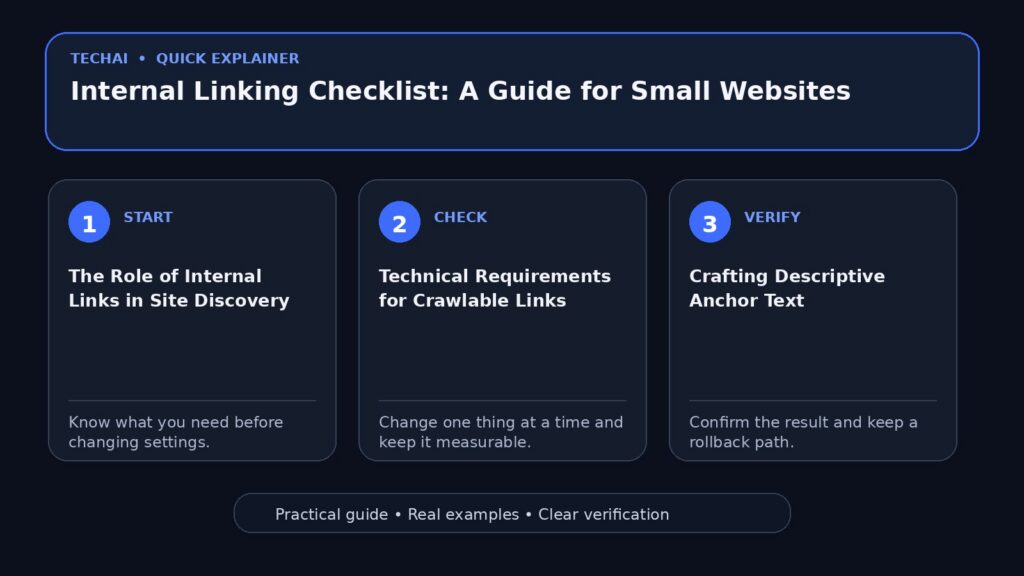
The Role of Internal Links in Site Discovery
Google and other search engines rely on links to find new pages to crawl. When a crawler visits a page, it looks for hyperlinks to follow, which allows it to discover deeper content that might not be listed in a sitemap. For small websites, where every page is vital for conversion or information, ensuring that no page is 'orphaned'—meaning it has no incoming internal links—is critical for visibility in search results.

Beyond discovery, links act as relevancy signals. When you link from one page to another, you are telling search engines that the two pages are related. This helps the search engine understand the topical authority of your site. If you have multiple pages about a specific subject, linking them together helps establish a clear content cluster, making it easier for Google to make sense of your overall site structure and the importance of individual pages.
While sitemaps are a useful tool for helping Google find your URLs, they do not replace the need for a crawlable link structure. A sitemap is a list of URLs, but internal links provide the context and hierarchy that a simple list cannot. Therefore, your primary focus should be on creating a natural, navigable path through your content using standard HTML links.
- Links help Googlebot find new pages on your site.
- Internal links establish a relationship between different content pieces.
- A well-linked site reduces the risk of orphaned pages.
- Links provide relevancy signals that help search engines categorize your content.
Technical Requirements for Crawlable Links
To ensure that search engines can follow your links, you must use the correct HTML syntax. Google specifically states that it can generally only crawl links if they are an <a> HTML element with an href attribute. This is the standard anchor element defined by the MDN Web Docs. If you use other elements like <div> or <span> that trigger navigation via JavaScript click events, search engines may not be able to discover the destination URL.
The href attribute is the most critical part of the anchor element. It specifies the URL that the hyperlink points to. Without this attribute, the link is not functional for navigation or crawling. MDN documentation notes that if the href attribute is present, the link can also be activated via the enter key when focused, which is a key requirement for web accessibility and standard browser behavior.
Small website owners often make the mistake of using buttons for navigation without an underlying anchor tag. While buttons are appropriate for form submissions or interface actions, they are not a substitute for links when the goal is to move a user (or a crawler) to a new page. Always wrap your navigational elements in a standard <a> tag to maintain maximum compatibility with search engine crawlers.
- Always use the <a> HTML element for hyperlinks.
- Ensure every link has a valid href attribute pointing to a destination.
- Avoid using non-standard elements like <div> for site navigation.
- Verify that links are functional without relying solely on JavaScript.
Crafting Descriptive Anchor Text
Anchor text is the clickable text that users see in a hyperlink. Google emphasizes that descriptive anchor text makes it easier for both people and search engines to understand what the destination page is about. Instead of using generic phrases like 'click here' or 'read more,' you should use text that provides a clear indication of the linked page's content.
When writing anchor text, aim for a balance between brevity and descriptiveness. The text should be natural within the flow of your content but specific enough to stand alone as a label for the destination. For example, if you are linking to a page about 'Small Business Tax Tips,' using that exact phrase as your anchor text is much more effective than simply linking the word 'tips.'
Descriptive anchor text also assists users who use assistive technologies, such as screen readers. These users often navigate a page by jumping from link to link. If all the links are labeled 'click here,' the user will have no context for where those links lead. By providing descriptive labels, you improve the accessibility and usability of your site for everyone.
- Use anchor text that describes the destination page's content.
- Avoid generic phrases like 'click here' or 'link.'
- Keep anchor text concise but informative.
- Ensure the text fits naturally within the surrounding paragraph.
Structuring Your Site for Navigation
A logical site structure is essential for helping users find and explore your content. When building your website, you should design it with the user's journey in mind. This involves creating a hierarchy where the most important pages are easily accessible from the homepage, and related sub-pages are linked together in a way that feels intuitive.
For small websites, a 'flat' structure is often preferred, where most pages are only a few clicks away from the homepage. This ensures that search engine crawlers can reach all your content quickly and that users don't get lost in deep, complex menus. Use your internal links to guide users from broad overview pages to more specific, detailed articles or product pages.
Navigation menus, breadcrumbs, and footer links are all forms of internal linking that contribute to your site's structure. While contextual links within your articles are highly valuable for relevancy, these structural links provide the backbone of your site's navigation. Ensure that your main navigation includes links to your most important categories or services.
- Design your site structure with the user's exploration in mind.
- Keep important pages within 2-3 clicks of the homepage.
- Use breadcrumbs to help users understand their location on the site.
- Include a consistent navigation menu on every page.
Using Links for User Decision Making
SEO is not just about search engines; it is about helping users find your site and make a decision about whether they should visit. Internal links play a major role in this decision-making process. When a user is reading a page, an internal link to a related topic can provide the additional information they need to stay on your site and eventually convert.

The placement of your links matters. Links placed within the main body of your content are often more effective at driving engagement than links hidden in sidebars or footers. When a user encounters a link that is relevant to what they are currently reading, they are more likely to click it to learn more. This increases the time spent on your site and helps build trust with your audience.
Consider the intent of the user when placing internal links. If a user is on a blog post about 'How to Choose a Camera,' an internal link to your 'Top 10 Cameras of 2024' guide is highly relevant and helpful. By anticipating the user's next question and providing a link to the answer, you create a better user experience and improve your site's overall performance.
- Place links where they are most helpful to the user's journey.
- Use links to answer potential follow-up questions.
- Prioritize contextual links within the main body of your content.
- Ensure links help users move closer to their goal or a conversion.
Managing Link Attributes and Schemes
The <a> element supports various attributes and schemes that can enhance functionality. For instance, the href attribute is not limited to web URLs. According to MDN, you can use schemes like tel: for phone numbers, mailto: for email addresses, and sms: for text messages. These are particularly useful for small business websites that want to make it easy for customers to get in touch.
Another useful attribute is the download attribute, which prompts the browser to download the linked file instead of navigating to it. This is helpful for providing PDF guides, brochures, or price lists. However, note that the download attribute only works for same-origin URLs. For external files, the browser will follow standard navigation behavior.
Google also recognizes specific rel attributes that provide more information about the nature of a link. While most internal links won't need special rel attributes, understanding them is important for site management. For example, if you have user-generated content like a forum, you might use rel='ugc' for links within those posts to tell Google that the links are not editorially controlled.
- Use tel: and mailto: schemes for contact links.
- Apply the download attribute for direct file downloads.
- Understand rel attributes for managing link relationships.
- Ensure all URL schemes are supported by modern browsers.
Accessibility and Functional Hyperlinks
Accessibility is a core component of modern web development. MDN documentation highlights that the content within each <a> tag should clearly indicate the link's destination. This is vital for users who rely on screen readers or keyboard navigation. A link that is properly coded will be focusable, and pressing the enter key will activate it, allowing users with motor impairments to navigate your site effectively.
Visual cues are also important for accessibility. Links should be visually distinct from the surrounding text, typically through the use of color, underlines, or both. This helps users with visual impairments or cognitive disabilities identify clickable elements quickly. Consistency is key; if links are blue and underlined on one page, they should follow that pattern across the entire site.
Avoid using 'empty' links or links that only contain images without alt text. If a link contains an image, the alt text of that image serves as the anchor text. Without it, a screen reader may simply read the filename of the image, which provides no useful information to the user. Always ensure that every link has a text-based label, either directly or through image metadata.
- Ensure links are keyboard-accessible via the enter key.
- Make links visually distinct from regular text.
- Provide alt text for images used within anchor tags.
- Maintain consistent link styling across the entire website.
Monitoring and Maintenance
Internal linking is not a 'set it and forget it' task. As your small website grows, you will add new pages and remove old ones, which can lead to broken links. A broken internal link (resulting in a 404 error) provides a poor user experience and prevents search engine crawlers from reaching their destination. Regularly auditing your site for broken links is a necessary maintenance task.
Google Search Console is a valuable tool for monitoring how Google crawls your site. It can alert you to crawl errors and show you which pages are being indexed. By reviewing the 'Internal Links' report in Search Console, you can see which pages have the most internal links and identify important pages that might be under-linked.
When you move or delete a page, always implement a redirect if that page had internal links pointing to it. This ensures that users and crawlers are sent to a relevant new location instead of hitting a dead end. Proper redirect management preserves the integrity of your internal linking structure and maintains a smooth experience for your visitors.
- Regularly check for and fix broken internal links.
- Use Google Search Console to monitor crawl errors.
- Implement redirects when changing page URLs.
- Audit your internal link distribution to ensure key pages are prioritized.
Key takeaways
- Google uses internal links to discover new pages and determine content relevancy.
- Crawlable links must use the <a> HTML element with a valid href attribute.
- Descriptive anchor text helps both users and search engines understand the destination page.
- A logical, flat site structure improves navigation for humans and crawlers alike.
- Accessibility features, like keyboard focus and clear labels, are essential for all links.
Common mistakes to avoid
- Using generic anchor text like 'click here' which provides no context to search engines.
- Creating links using non-standard HTML elements like <div> or buttons that crawlers cannot follow.
- Leaving 'orphaned' pages that have no internal links pointing to them, making them hard to discover.
- Failing to update or redirect internal links when a page URL is changed or deleted.
Check your website next
- Check your website free
- Full Website Audit — $9
- Website Growth Bundle — $39
- Website Fix Implementation — from $149
FAQ
Can Google crawl links that are not in an <a> tag?
Generally, no. Google Search Central states that Google can only crawl your link if it's an <a> HTML element. Links created using other elements or complex JavaScript events may not be followed by search engine bots.
What is the best way to write anchor text for SEO?
The best practice is to use descriptive, concise text that accurately reflects the content of the page you are linking to. Avoid generic phrases and ensure the text makes sense to both users and search engines.
How many internal links should I have on a page?
There is no specific number, but you should focus on providing links that are helpful to the user. Google suggests building your site for your users first, making it easy for them to find and explore your content naturally.
Do internal links help with mobile accessibility?
Yes. Using standard <a> tags ensures that links are keyboard-accessible and work correctly with mobile browsers. Additionally, using schemes like tel: allows mobile users to initiate calls directly from a link.