Installing an app is also a decision about who can access parts of your device and data. A quick checklist can help you avoid unnecessary permissions, misleading subscriptions, and apps that do not have a credible reason to collect what they request.
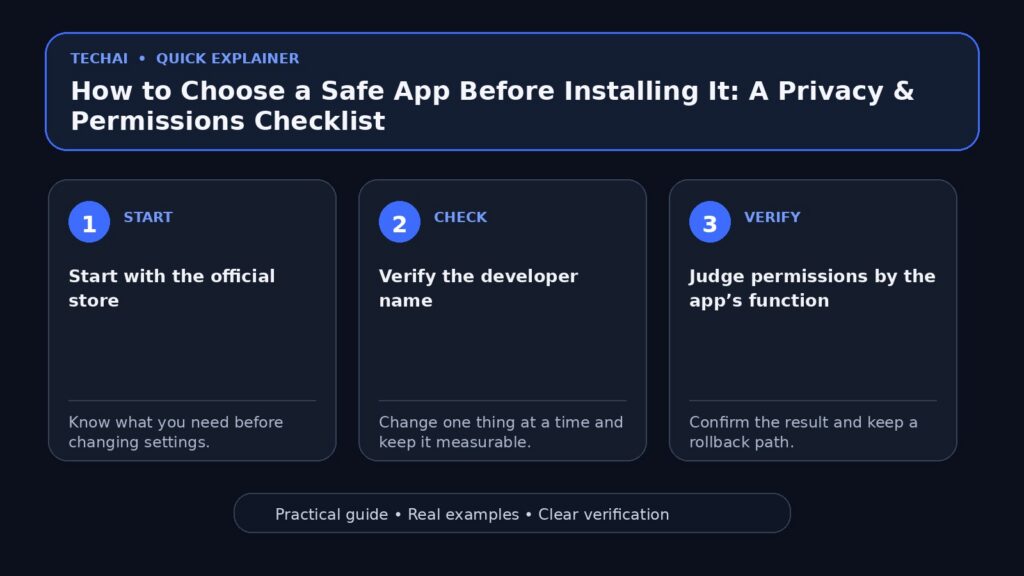
Start with the official store
Use the platform’s official app store when possible. This does not make every app trustworthy, but it reduces exposure to modified installers and unofficial download mirrors.
Verify the developer name
Popular apps are often copied. Check the developer or publisher and compare it with the company’s official website, especially for banking, password, VPN, and security apps.
Judge permissions by the app’s function
A camera app may reasonably need camera access. A simple calculator usually has little reason to request contacts or continuous location. Ask whether each permission supports a feature you actually intend to use.
Do not grant everything on first launch
Modern phones often let you approve permissions only when a feature is used. Start with the minimum and add access later if a feature genuinely requires it.
Understand the business model
Look for a clear explanation of how the service is funded: purchase price, subscription, advertising, or another model. “Free” does not automatically mean unsafe, but you should understand what supports the service.
Pay attention to trials and subscriptions
Check the renewal period, price after the trial, and cancellation method before confirming. Screenshots and reviews do not replace the current terms shown by the store or service.
Check update history
An app that receives maintenance is generally easier to trust than abandoned software, but update frequency alone is not proof of security. Combine it with publisher identity, permissions, and the app’s purpose.
How should you read reviews?
Look for repeated patterns instead of one angry or enthusiastic review. Recent complaints about billing, login problems, intrusive ads, or unexpected permissions may be more useful than the overall star rating.
Look for alternatives before sharing a lot of data
If a small utility asks for an account, phone number, contacts, and location, compare alternatives. Another app may provide the same function with less data collection.

VPN and cleaner apps are good examples for caution
These categories often request broad trust or system access. A VPN can see important network metadata, and “cleaner” apps may request powerful permissions. Prefer established providers and clear documentation rather than dramatic claims.
Check the website and privacy policy
A credible service should make it reasonably easy to identify the company, find support information, and understand how data is handled. Policies should match the product rather than reading like unrelated boilerplate.
After installation, review permissions again
Remove access you no longer need. Both iOS and Android provide privacy and permission controls that make periodic review useful.
Delete the account if you leave the service
Uninstalling an app does not necessarily delete the cloud account or stored data. If you are leaving a service, check whether it provides an account-deletion option.
Pre-install checklist
- Official source?
- Correct developer?
- Permissions make sense?
- Price and renewal terms clear?
- Recent reviews show serious recurring issues?
- Privacy and support information available?
If you suspect an installed app
Revoke unnecessary permissions, check device security alerts, uninstall the app if appropriate, and change credentials if you entered them into a service you no longer trust.
Match the decision to the sensitivity of the data
A game and a password manager should not receive the same level of scrutiny. The more sensitive the information or access involved, the stronger your verification should be.
Watch the app after installation
Unexpected notifications, battery use, background activity, or new permission requests deserve review. Trust is not a one-time decision made on the install screen.
A 60-second pre-install decision
Before installing an unfamiliar app, answer five questions. If two or more answers are unclear, delay the installation until you can verify them.
- Is this the official developer and official store listing?
- Does the app need the permissions it requests for its main function?
- Is the subscription or trial price clearly explained?
- Has the app been updated recently enough for the platform you use?
- Can you use a less invasive alternative for the same task?
After installation, grant permissions only when a feature actually needs them. You can usually enable access later; you do not have to approve everything during first launch.
Conclusion
Choose apps based on source, developer identity, permissions, business model, and the sensitivity of the data involved. Start with minimum access and review the app again after you have used it.